Printer Profile Validation: M1 vs. M2 and ΔE2000 Evaluation

I tried it (504 patches: 21 rows of 24 patches), but still no txf-file:

1793084907872.png


Configuration is OK see patch size + configuration (21x24), but no txf file in the export directory:

1793084969295.png


1793085010560.png
 
ChromIQ-Windows-x64_v4.3.17

Workflow
Refine the preset for the 192-patch chart.
Print the profile chart directly from ChromIQ.
Test my new converter by mapping the CGATS.5 file to the required layout by i1Profiler.
Import the converted CGATS.5 TXT file into i1Profiler.
Apply a template created earlier.
Measure the printed chart.
Save the measurement data as an MXF file.

ChromIQ Chart-192 Profiling Charts
Chart-192-Profiling Charts.png


Mapping Profiling Chart
Map-to-Measurement-Template.png


Preparation for i1Profiler Measurement
192p Layout.png


Measurement with i1Profiler
Meassurement.png


.mxf Data file
sshot-8.png
 
@itsab1989 : I see you are using a custom paper size too in i1Profiler, so I might suggest this:

1793090898627.png


You can see the custom paper size is 293.7 x 230 mm and setting the path widh to 8.7 and patch height to 8 mm (compatible to both i1Pro2 and i1Pro3 alike)

Now why this setting: it has 24 rows of 27 patches in each row making a total of 648 patches. By choosing "prioritise chart area, then fit patches to it" we can choose: strips: 24 (rows in i1Profiler) and patches per strip: 27, thus forcing to the same configuration of the i1Profiler (24 rows of 27 strips, sample above). Claude can choose the virtual page pwxf-configuration of

paper width= 296,7 mm
paper height= 230 mm

patch layout:

patch width= 8.7 mm
patch height=8 mm

So a virtual page in i1Profiler is generated with these parameters. The patch height of 8 mm is deliberate: the reason is this value is compatible to both i1Pro2 (minimum height 8 mm) and i1Pro3 (minimum height 7 mm)

This would make it easier (I think) for the conversion as the amount of rows x strips is now fixed, as the ChromIQ target would be like this:

1793091997214.png


The reason is that with a fixed 8 mm x 10 mm like you have suggested can cause a different layout depending of your instrument settings (I did some tweaking, because I make my targets compatible to both the i1Pro1 and the i1Pro2 scanning jig) and my configuration using the 8x10 mm setting for a patch causes an extra row to be created (22 instead of the proposed 21 rows). This will mess up the conversion to the txf-file as the conversion probably will expect 21 rows of 24 patches). Now by choosing the "prioritise chart area, then fit patches to it" setting I think the engine can take this into account for the conversion too to change the coordinates (which patch on which position in the x/y-table of the ultimate txf-file) accordingly.

So one could choose for example:

10 rows (stripes) of 15 patches you also be possible to convert small 10x15 cm ChromIQ targets towards the txf format of i1Profiler independently of the exact patch size in ChromIQ, as you now fix the amount of stripes (rows) and patches per row so increasing or decreasing the paper size will always guarantee that let's say a given patch colour is on position row=3 and patch count=5 of this lookup table of 10 rows and 15 patches.

If you would use a fixed patch width and patch height in ChromIQ, depending of a slight instrument setting or paper border limit can move this particular patch colour to another postion of the X/Y lookup table, messing up the conversion.

Also the 24x27 corresponds to a lot of my presets in ChromIQ for Letter/A4 and this layout is about the maximum amount comfortable to be scanned with the i1Pro1/i1Pro2/i1Pro3 spectro (648 patches per page).
 
Chrom2i1 (Beta)

What it does
Chrom2i1 (ChromIQ → i1Profiler) turns a ChromIQ RGB patch file (CGATS .txt) into an i1Profiler-ready file with the patch order fixed and SampleIDs renumbered 1…N. You drag the ChromIQ file onto a .bat file; the result is saved next to it as <name>-i1Profiler.txt.

Requirements
Windows 10 or 11 with its built-in Windows PowerShell 5.1. Nothing else needs installing, and no administrator rights are required


This utility is available for free download to all forum members.

Please download the ZIP archive and follow the instructions provided inside.

Thank you.
 

Attachments

Chart-192p-Chrom2i1-StartupTemplate.txf

To quickly get started after setting up Chrom2i1, copy Chart-192p-Chrom2i1-StartupTemplate.txf into the Test Chart folder.

Chart-192p-Chrom2i1-Startup.png
 

Attachments

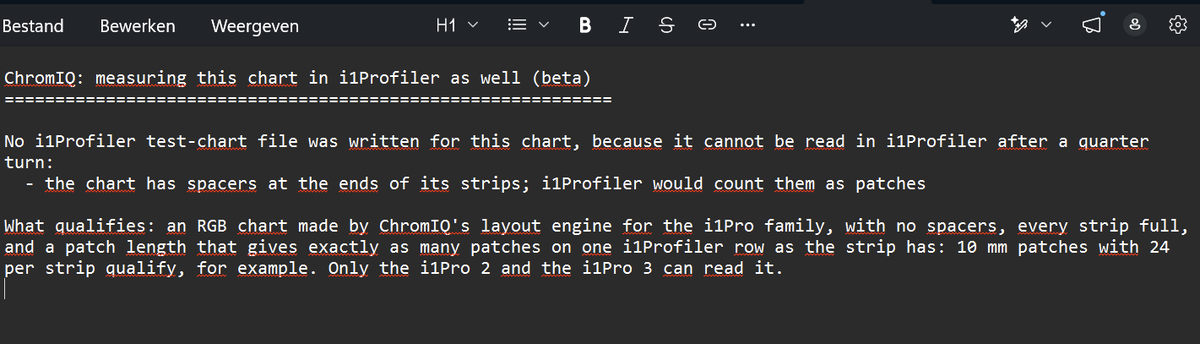
@pharmacist You were right, your chart has no spacers. ChromIQ 4.3.17 also looked at a second setting, "Edge spacers (bracket each strip)" under Create Chart > Manual > Expert Options, and refused the chart when that box was ticked. With Spacers set to None that box prints nothing, so your sheet is exactly the same with it ticked or not. It gets ticked by the built-in i1Pro presets and by charts made in Guided.

For now in 4.3.17: open Expert Options, untick "Edge spacers (bracket each strip)", keep Spacers on None and press Generate Chart again. Your 21 x 24 chart then gets both .txf files. Nothing else on the sheet changes.

In the next update: ChromIQ checks the printed sheet itself, so your chart qualifies as it is. The Edge spacers box is greyed out while Spacers is None. The sheet is also turned clockwise instead of anticlockwise, so the clip border is at the top.

About "Prioritise chart area" with a fixed grid: it works. 24 strips of 27 on A4 gives 8.88 mm patches and an i1Pro 3 file. The i1Pro 2 file needs patches at least 10 mm long along the strip, which is X-Rite's minimum. The number of strips doesn't matter: the files are made from your actual sheet, so 21 or 22 strips both work. Only the patches per strip must equal one i1Profiler row. On paper taller than A4, such as A3, this layout makes the strips too long for an i1Profiler row, and the note then tells you to use "Prioritise patch size, then fit to page" instead.

 
@pharmacist You were right, your chart has no spacers. ChromIQ 4.3.17 also looked at a second setting, "Edge spacers (bracket each strip)" under Create Chart > Manual > Expert Options, and refused the chart when that box was ticked. With Spacers set to None that box prints nothing, so your sheet is exactly the same with it ticked or not. It gets ticked by the built-in i1Pro presets and by charts made in Guided.

For now in 4.3.17: open Expert Options, untick "Edge spacers (bracket each strip)", keep Spacers on None and press Generate Chart again. Your 21 x 24 chart then gets both .txf files. Nothing else on the sheet changes.

In the next update: ChromIQ checks the printed sheet itself, so your chart qualifies as it is. The Edge spacers box is greyed out while Spacers is None. The sheet is also turned clockwise instead of anticlockwise, so the clip border is at the top.

About "Prioritise chart area" with a fixed grid: it works. 24 strips of 27 on A4 gives 8.88 mm patches and an i1Pro 3 file. The i1Pro 2 file needs patches at least 10 mm long along the strip, which is X-Rite's minimum. The number of strips doesn't matter: the files are made from your actual sheet, so 21 or 22 strips both work. Only the patches per strip must equal one i1Profiler row. On paper taller than A4, such as A3, this layout makes the strips too long for an i1Profiler row, and the note then tells you to use "Prioritise patch size, then fit to page" instead.


@itsab1989: you can press the patch width to 7 mm in i1Profiler 3.8.6 (not sure it is the case for 3.8.8). See my table earlier. i1Profiler will throw an error that at least a certain patch width is recommended, but it works without any problems in i1Profiler despite the warning. I suggest to try to press down until you get 27 patches on a single row, maybe 28 is also possible. Just ignore the error.

Maybe in the newer version 3.8.8 this is disabled, but from my experience is that I could use my targets made with 3.8.6 for the i1Pro2 could be easily imported in version 3.1.1 (because I needed this version for my vintage i1Pro1 not supported by the later versions). What happens is: I can use the newer pwxf-files in old version 3.1.1 with the special squeezed down patches, but I cannot regenerate the same configuration with version 3.1.1 so the software locks down the maximum patch count per row, but when imported from another version it keeps that patch count.

In the past I could squeeze the TC9.18 target in i1Profiler on a single sheet of A4 and it scanned perfectly (some photoshopping needed though) and it had 34 patches divided over 27 rows.

Therefore I would try if you can do a pwxf-file (which also defines patch width and height, the position of a certain colour patch on the X/Y axis and the virtual (larger) page you have defined) conversion instead of the txf-file which is more rudimentary and maybe this causes the cap the patch width to only 10 mm (the i1Pro2 can do a minimum 7 mm patch width with my version 3.8.6 of i1Profiler)
 
Back
Top