- Thread starter
- #81


Navigation
Install the app
How to install the app on iOS
Follow along with the video below to see how to install our site as a web app on your home screen.
Note: This feature may not be available in some browsers.
More options
You are using an out of date browser. It may not display this or other websites correctly.
You should upgrade or use an alternative browser.
You should upgrade or use an alternative browser.
Printer Profile Validation: M1 vs. M2 and ΔE2000 Evaluation
- Thread starter jctay
- Start date
- Thread starter
- #82
jctay
Getting Fingers Dirty
- Joined
- Sep 18, 2026
- Messages
- 64
- Reaction score
- 29
- Points
- 40
- Printer Model
- Canon Selphy CP1500
Project: CP1500-600p-2 (Part 3)
3-Validation print check (ISO 12647-8) · Judged against ISO 12647-82021 values
( Verify that the printer and its ICC profile reproduce colors accurately )


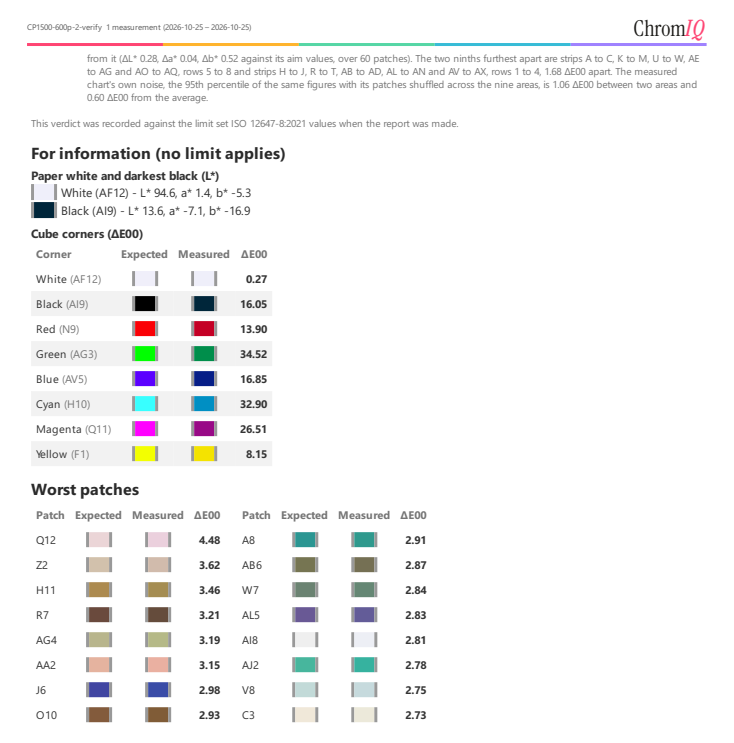
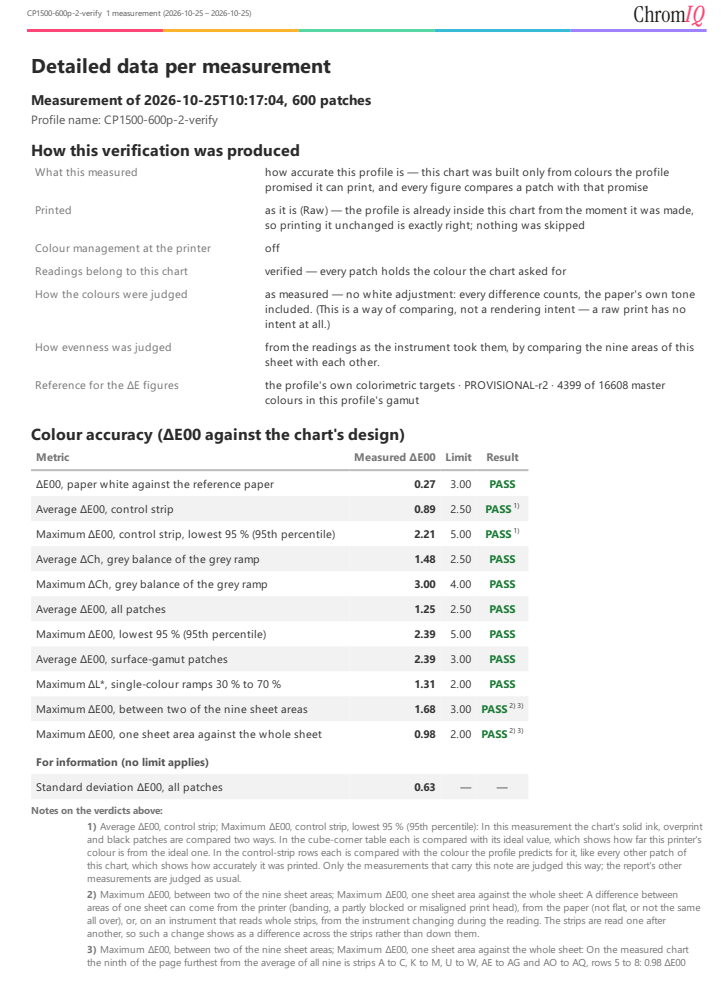
3-Validation print check (ISO 12647-8) · Judged against ISO 12647-82021 values
( Verify that the printer and its ICC profile reproduce colors accurately )
Last edited:
- Thread starter
- #83
jctay
Getting Fingers Dirty
- Joined
- Sep 18, 2026
- Messages
- 64
- Reaction score
- 29
- Points
- 40
- Printer Model
- Canon Selphy CP1500
- Thread starter
- #84
jctay
Getting Fingers Dirty
- Joined
- Sep 18, 2026
- Messages
- 64
- Reaction score
- 29
- Points
- 40
- Printer Model
- Canon Selphy CP1500
Proposed Enhancements
1. Double-Click Action
Is it possible to detect a double-click action with i1Pro devices? This could serve as another useful feature in the measurement workflow.
2. Printer Profile Confirmation
Would the following workflow be practical and justifiable to implement in ChromIQ?
- Create the Chart: Create a ColorChecker Classic project using the built-in preset.
- Measure the Chart: Print and measure the chart.
- Validate the Results: Compare the measured values against the reference data to assess color accuracy.
Future Consideration: Support for the ColorChecker Digital SG.
Thank you.
1. Double-Click Action
Is it possible to detect a double-click action with i1Pro devices? This could serve as another useful feature in the measurement workflow.
2. Printer Profile Confirmation
Would the following workflow be practical and justifiable to implement in ChromIQ?
- Create the Chart: Create a ColorChecker Classic project using the built-in preset.
- Measure the Chart: Print and measure the chart.
- Validate the Results: Compare the measured values against the reference data to assess color accuracy.
Future Consideration: Support for the ColorChecker Digital SG.
Thank you.
itsab1989
Printing Ninja
- Joined
- Feb 11, 2026
- Messages
- 357
- Reaction score
- 182
- Points
- 80
- Printer Model
- Epson ET 8550, Canon Pro 300
What exactly do you have in mind for a double click action?
Edit: first analysis says this could be doable. I just assume you want to use it to jump back and forth between strips?
Edit: first analysis says this could be doable. I just assume you want to use it to jump back and forth between strips?
Last edited:
know
Getting Fingers Dirty
- Joined
- Mar 12, 2026
- Messages
- 54
- Reaction score
- 44
- Points
- 40
- Printer Model
- Brother MFC-9460
This sounds like the new feature you requested, that the paper should be allowed to print even if the paper did not exactly match. That feature would just print, even though your paper was a few millimeters smaller, without any warning, and will never shrink the image to fit the paper.Minor Issues
1. The helper markers are visible in the TIFF file but are completely missing from the printed target.
2. The text at the bottom is partially cut off.
- Thread starter
- #88
jctay
Getting Fingers Dirty
- Joined
- Sep 18, 2026
- Messages
- 64
- Reaction score
- 29
- Points
- 40
- Printer Model
- Canon Selphy CP1500
This sounds like the new feature you requested, that the paper should be allowed to print even if the paper did not exactly match. That feature would just print, even though your paper was a few millimeters smaller, without any warning, and will never shrink the image to fit the paper.
Just to clarify, I meant the chart profiling preset file sent to me. It's user-configurable, so no worries or requests there!
As for the double-click action, I think it's feasible to add to the measurement workflow. Right now, dealing with a scan failure still involves a bit too much keyboard interaction.
itsab1989
Printing Ninja
- Joined
- Feb 11, 2026
- Messages
- 357
- Reaction score
- 182
- Points
- 80
- Printer Model
- Epson ET 8550, Canon Pro 300
The feature is already in the works. But it will take a few hours until the update is out. With the program becoming bigger and bigger there are more and more things for the AI to consider and even then the chances are high that one finds a bug after the update is released. I am trying to catch some things while it is working and added some thoughts into this. So it will give you a test in the preferences to figure out a tolerance for this based on how fast you press the button and a triple press will be allowed as well.Just to clarify, I meant the chart profiling preset file sent to me. It's user-configurable, so no worries or requests there!
As for the double-click action, I think it's feasible to add to the measurement workflow. Right now, dealing with a scan failure still involves a bit too much keyboard interaction.
But only some real world tests will show how good or bad it works I guess.
Last edited:

- Joined
- May 29, 2007
- Messages
- 3,302
- Reaction score
- 1,914
- Points
- 333
- Location
- Ghent, Belgium
- Printer Model
- SC-900 ET-8550 +18100 WF-7840
Just a small update with the latest version concerning the free pathway for the scanning eye of the i1pro devices
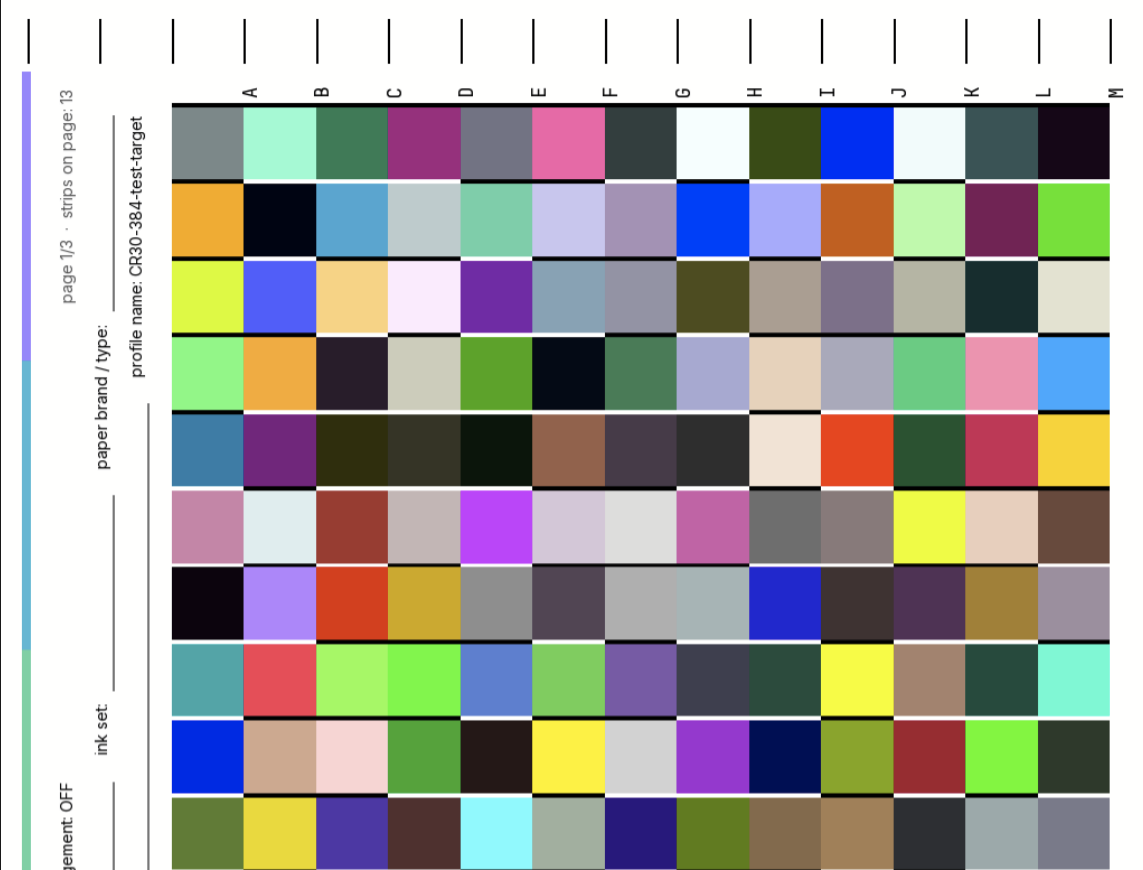
This is done using the following setting:
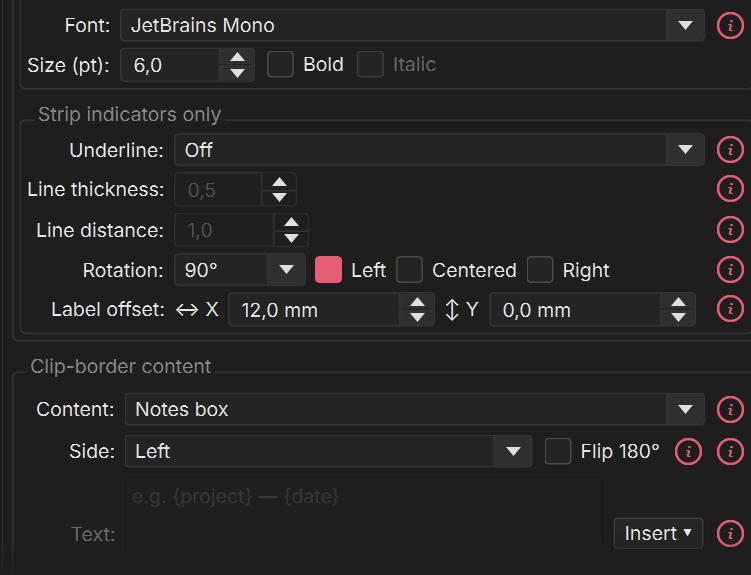
Perfectly free headway for the scanning to past the paper area (no error thrown), which is nice.
When we would row markers:

We would get this:
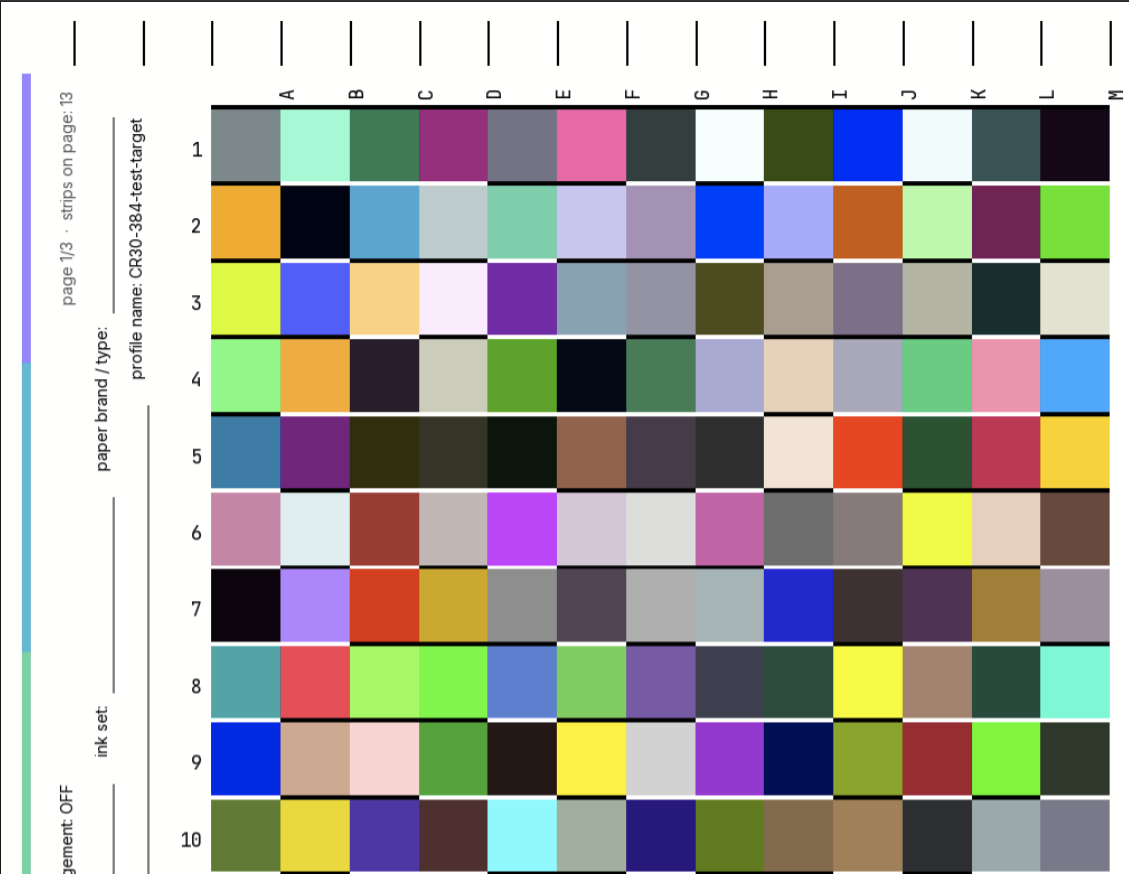
It would be nice if the row markers can be rotated for a better visual experience, because scanning on the scanning jig of the target. It is only possible to rotate the strip markers, not the row markers.
This is done using the following setting:
Perfectly free headway for the scanning to past the paper area (no error thrown), which is nice.
When we would row markers:
We would get this:
It would be nice if the row markers can be rotated for a better visual experience, because scanning on the scanning jig of the target. It is only possible to rotate the strip markers, not the row markers.
Last edited:


