????????
Nelson, the Colormunki does just that, measuring a first fresh corrected print (2nd target) and evaluates wether the changes worked and then creates the final profile
????????
Nelson, the Colormunki does just that, measuring a first fresh corrected print (2nd target) and avaluates wether the changes worked and then creates the final profile
Ohh, I think we are talking about something different. I know that the Colormunki software works with the 2-steps method and corrects back for the curvature in the RGB colour space based on the difference between the expected value and the measured value. I mean the possibility of measuring reference targets and see how the quality of the generated profile is compared to a target that is printed with that specific profile in o.rder to estimate the Delta-E value, like you can do in i1Profiler (for example: measure chart) and ArgyllCMS.
Not directly, there is no profile editor to do that.
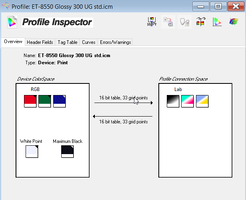
A profile typically consists of a data matrix of 33x33x33 or 17x17x17 data points, this data grid is independend of the number of color patches which get scanned as the first step. The size of a profile does not change if you enter the data for 196 or 400 or 2440 etc patches. The next step is a data recalculation and 3D interpolation and inversion from the input patch matrix into the profile output matrix , and the same happens with the data of the patch sheet to create the correction values . The profile contains several tables for forward and backward data lookup - A to B and B to A - device from/to the PCS - Profile Connection Space. But it is possible to add additional color patches - data points to your patchsheet , these data points are additional to the standard color grid e.g. 6x6x6 or 7x7x7 or whatever and in between the original data grid points.