[Tool] ChromIQ – a macOS and Windows GUI for ArgyllCMS printer profiling (v4.0.0)

@pharmacist

What kind of options would you need to create better chart layouts?

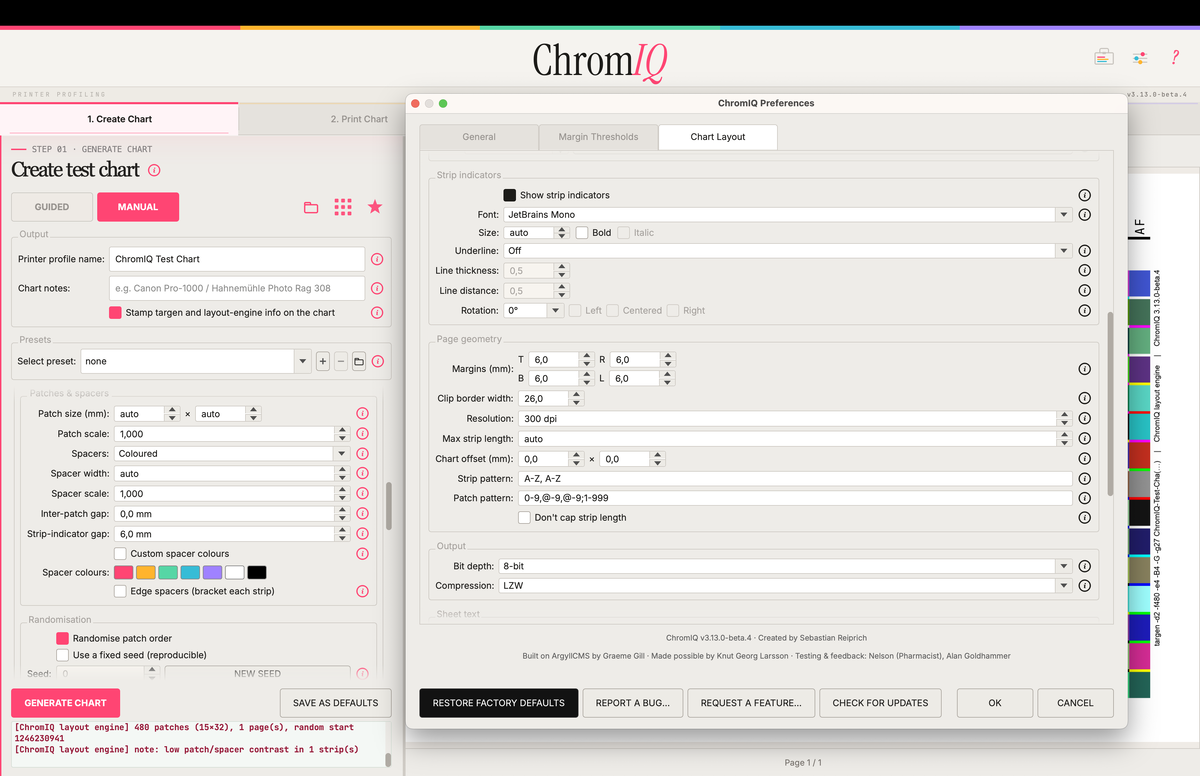
Bildschirmfoto 2026-06-26 um 16.24.43.png


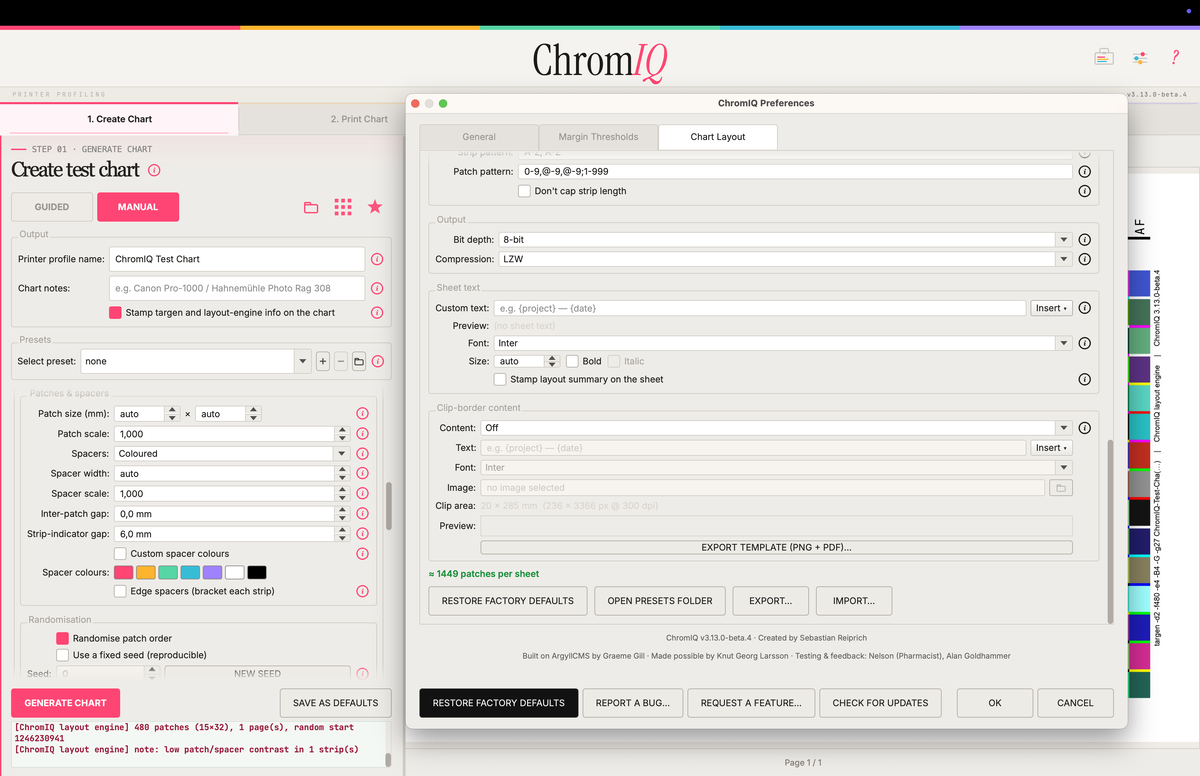
Bildschirmfoto 2026-06-26 um 16.25.18.png


Bildschirmfoto 2026-06-26 um 16.25.25.png


The arrangement of the options is not yet optimal I think. The placholder token need some work to show better instrument names I think. Everything has to be proved working. Some thing might need to be added. Some maybe are too much. But maybe it is a good starting point. This completely replaces printtarg (although it is based on its code). So I don't have to edit the tiff files after they are created but give them the desired layout at creation time. Also this makes it easier to calculate the amount of patches fitting a single page with the chosen settings. For original printtarg I had to run printtarg for various combinations of instruments, paper sizes and additional options and create a database out of those. If you chose a combination of options that had not been covered by this that process was done at creation time - it ran targen plus printtarg around 10 times in a row until it found a match. Should be faster here.

BUT: Very beta...

https://github.com/itsab1989/ChromIQ/releases/tag/v3.13.0-beta.8
 
Last edited:
@itsab1989 : The special ergonomical targets I have been made until now are always squeezed and modified with PS. I start with a virtual page in printtarg for example:

printtarg -v -ii1 -a0.9 -A0.8 -P -p230x330

This creates a virtual page of 230x330 mm (larger than A4: 210x297) on which more and slightly smaller patches with smaller space bars are put on. Afterwards I squeeze down the patch size to about 7.5x7.5 mm (sometimes even smaller to about 7x7.5 mm depending on the patch count as the limit for the i1Pro2/3 is about 7 mm) and move the whole block of patches downwards and to the right for the margin for the scanning table clamp and the action radius of the i1Pro2 (needs to land on a paper white when completely moved to the right border. So the patch block is defined who large it should be and the position and the patch size can be squeezed down or enlarged depending on the amount of patch count. Normally with the above margin in mind the maximum amount is about 720 patches for A4 and Letter (the latter the upper margin must be dropped as the paper length is limited not allowing alignment of the right border of the scanning table) with patch size of around 7.5x7.5 mm (maybe a bit smaller but perfectly readible without any problems) and 20% narrower space bars (-A0.8 setting in printtarg).

Not sure that Claude can generate an engine that takes into account the margin of A4/Letter of this:

1782538562916.gif


The block of patches is 245x180 mm and depending on the patch count Claude can increase patch size accordingly from about 7.5x7.5 to 9x9 mm if there is smaller patch count. A safe margin for the block patch block is about 240x180 mm (i1Pro1 ?).
 
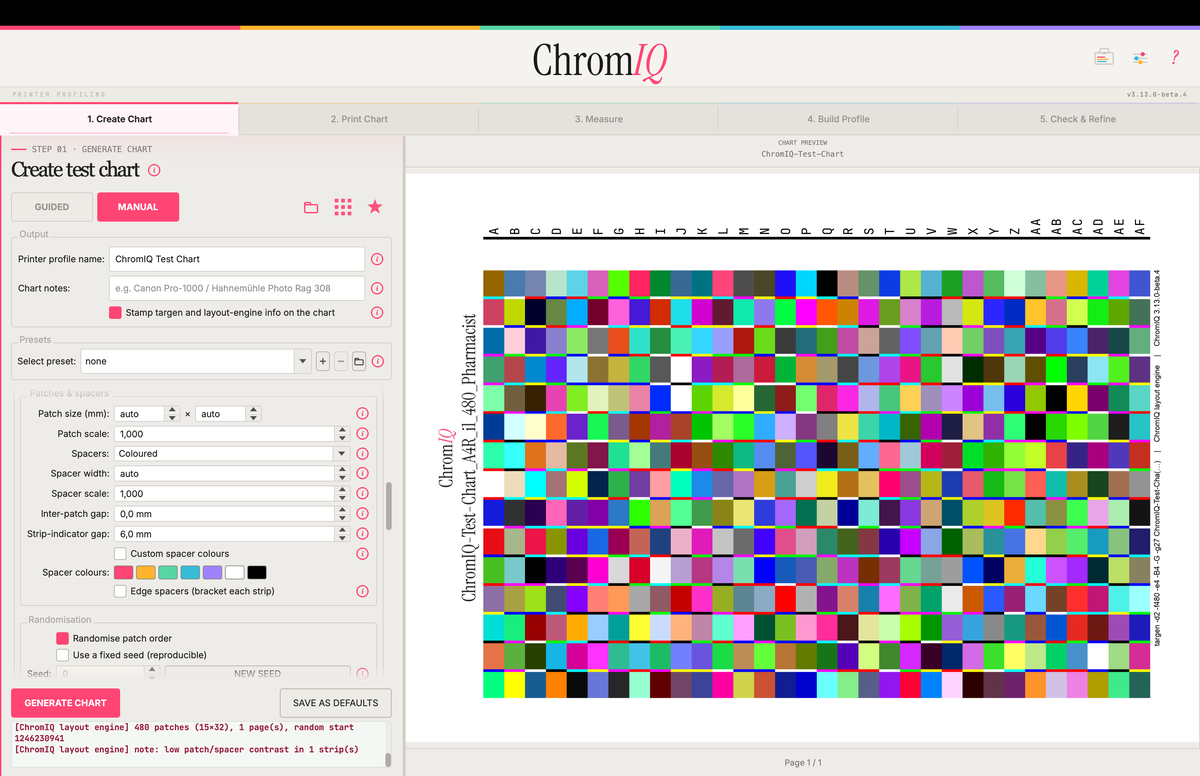
It needs some playing around but I can reproduce your layout:

You can set each margin (top, bottom, left, right) independently, exact strip length, width of the clipping border, distance of patches to the strip labels, offset the strip labels, size of the labels, heigth and width of the patches and a few more

Bildschirmfoto 2026-06-27 um 16.01.16.png
 
Last edited:
Nice, Claude get get 720 patches on a single sheet of A4. For Letter 720 patches is possible too, BUT the the paper is less elongated thus not alignment possible on right side of the scanning table.
 
Well you can play around with the beta if you want. Go to the settings, activate the ChromIQ layout engine and you will get a whole lot of options.
But there are so many that it might be a bit confusing at first. I had to go back and forth to find what I wanted as well.
Probably needs a little more structure

Btw. What would happen if you placed the strip labels higher? Could you then fit even more patches on a single page or is there another limitation?
 
Last edited:
You can fit more patches on a single page by moving the strip labels higher. With the i1Pro2 scanning table you can get safely increase up an extra patch to the 30 patch length to 31 and maybe even to 32, so you can get 24x32=768 patches. The patch width would probably shrink to about 7.2 mm which is within the limit of the i1Pro2/3 but probably critical for the i1Pro1, unless care is taken during scanning (much slower pace). In this case you can drop the space bars combined with randomizing the patch layout to get that extra patch width.
 
Edit: based on my TC9.18 target that can only be aligned on the right side but can not be clamped for the first 3 rows:

1782574298958.png

It has 27 rows of 34 patches, but since we want the target to be clamped the first 3 rows must be removed and we get 24x34=816 maximum patch count for ergonomical scanning:

1782574552484.png


This is the practical maximum amount of patches you can squeeze together: 24 rows of 34 patches, but to be safe I would keep the maximum to 24x32 patches= 768
 
Nice, Claude get get 720 patches on a single sheet of A4. For Letter 720 patches is possible too, BUT the the paper is less elongated thus not alignment possible on right side of the scanning table.
This really does not help those of us who have the standard clip reading table. 506 patches are the limit. I don't have any tools to personally build something that would help read patches that fill up the entire sheet.
 
@pharmacist

Bildschirmfoto 2026-06-27 um 18.44.02.png


Edit:

Just noticed there is sometimes a 1px gap between a patch and a spacer. Will fix this
 

Attachments

Last edited:
@Alan G This is possible with Letter size (8.5x11inch):

1782579286948.png


In total 648 with respect to the standard clip reading table on the i1Pro2. I think @itsab1989 has integrated this 3 sheet target (1944 patches) in the latest versions of ChromIQ

Do you have this scanning table:

1782579802122.png


If so: the above Letter target should be perfectly aligned with this scanning table.
 
Last edited:
Back
Top