[Tool] ChromIQ – a macOS and Windows GUI for ArgyllCMS printer profiling (v4.0.0)

@itsab1989 Almost right only the right side is to wide: the scanning eye stops on a coloured patch and not on paper white:
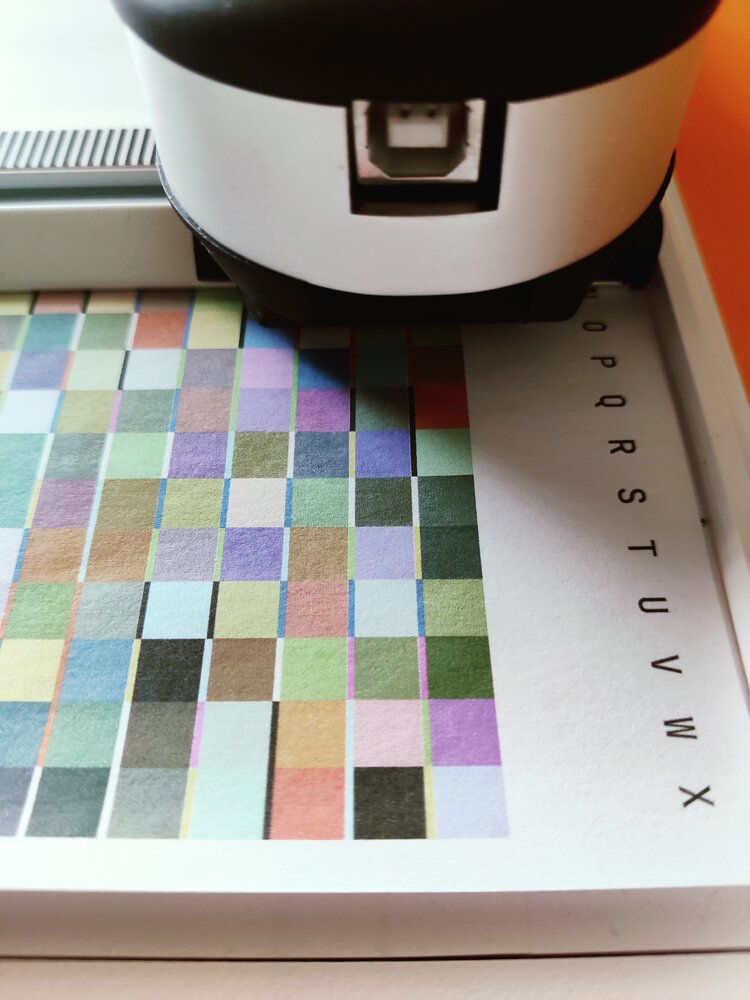
IMG_20260627_192046.jpg


The upper margin is perfect: spectro does not touch/scratch the black rubber clamp:
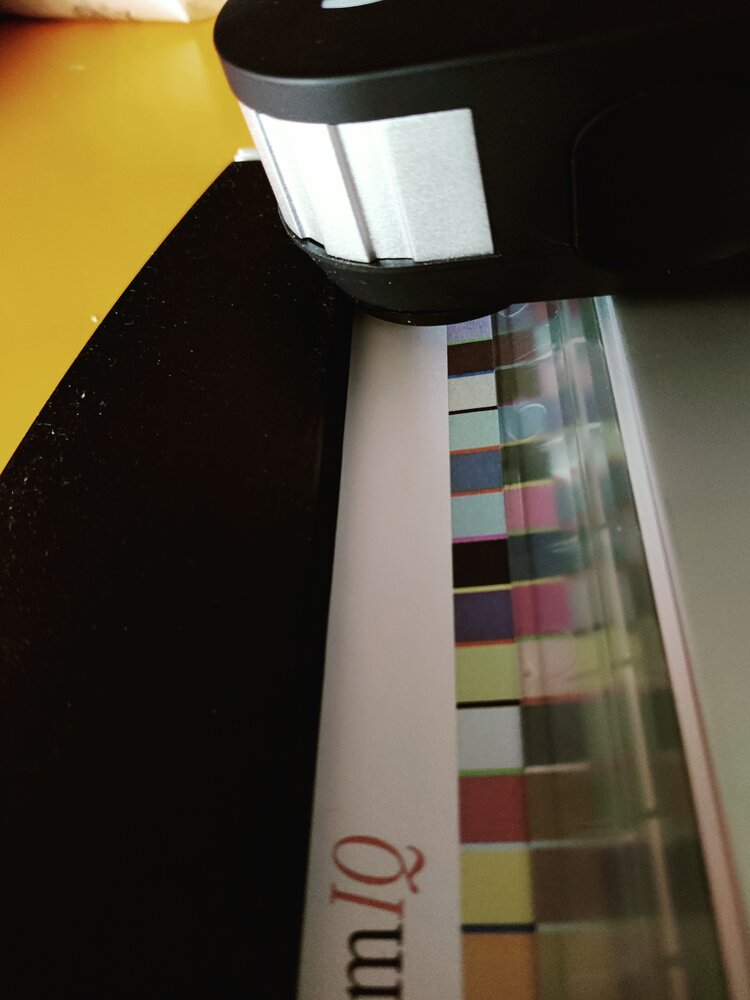
IMG_20260627_192020.jpg


Maybe you should diminish the space bar width (maybe -a0.70).
 
Here a comparison of my specially adapted target (720 patches) with your automatic generated ChromIQ 720 target:

IMG_20260627_193120.jpg


I have folded the paper so you can see the row width difference:

IMG_20260627_193323.jpg


So the whole patch width should shrink with about 1.5 patch width to clear the area on the the upper side.
 
I was just playing around with some values. Fixed the bug with the spacer gap.

https://github.com/itsab1989/ChromIQ/releases/tag/v3.13.0-beta.9

Maybe you find the correct settings. Or maybe a missing control even

I chose A4 portrait, top and bottom margin 10mm, right margin 4. Strip length I set to I believe 280mm but it is limited by the white area anyway.
The patches were 7,5 x 7,3 in my chart. So maybe 7,3 x 7,3 will do? And I set spacer scale to 0,8.
 
Last edited:
width: 7.3, height: 7.5 is ok. The trick is to decrease space bar width maybe even -a0.5
 
@pharmacist - yes, that is the scanning table that I have. Let me know which patch set I should try so that I can compare with a profile from my normal workflow. this does not involve a precondition profile, correct? I'm just curious what the advantage over the other workflow.
 
Try this:

1782626332743.png


It needs 3 sheets of Letter. It is a second best option than preconditioning + final profile as it uses number crushing sampling around the visually most important neutral axis. Let me know what you think about the results.
 
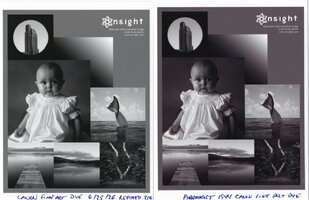
I'm always looking to improve B&W printing on my ET-8550, and tried the 1944-patch chart with Canon Fine Art Smooth. This is a warm-tone, OBA-free paper that tends to have a magenta cast with the Epson inks, even after profiling.

The ChromIQ profile analysis was good, highest Delta E 1.27, average 0.25, but a test print had a heavy magenta-brownish push. I did a nozzle check and it was clear. Don't know what happened.

I also made a 1100-patch chart using a Print Prism profile as the refinement source, and that looks pretty neutral.
 

Attachments

  • img20260628_13172454.jpg
    img20260628_13172454.jpg
    150.4 KB · Views: 79
Last edited:
Hi All,
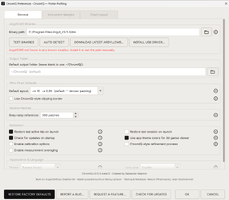
I'm still having trouble getting good results. So I have my path set right? Attachments are screen shots of my preferences page.
 

Attachments

  • Auto Detect Button.png
    Auto Detect Button.png
    68.2 KB · Views: 69
  • Test Binaries button.png
    Test Binaries button.png
    69.3 KB · Views: 75
Hi All,
I'm still having trouble getting good results. So I have my path set right? Attachments are screen shots of my preferences page.
To be honest I don‘t know which places it checks for Argyll on windows. On macOS many people install it via homebrew and there it checks for this location and for example in the Applications folder because similar to you I have it placed there. When the check detects everything it is fine and you could not even create a chart if the location was wrong. That said I have no real ideas why this might happen.
Can you share a zip file with your ti1, ti2, ti3, tiff and icc file? I would let Claude have a look at this although I can’t promise this will give the right answer for the issue. I still wonder whether it might have something to do with the i1Pro3. Greame Gill seems to have mentioned something in the drivers notes that he hast tested it with a Rev.1 device and Rev.0 will not work well and newer Revs are not tested. Or something like that it was.
 
Last edited:
Back
Top