Lines on print

David-Prints

Print Lurker
Joined
Aug 10, 2026
Messages
4
Reaction score
0
Points
1
Printer Model
Canon ix6850
Hi, I've a Canon pixma ix6850. I print a couple of A4 pages per week onto glossy photo paper. I'm mostly printing solid colours. After about 150 or so pages I started getting lines like the print head needed alignment. Dark colours like black or red print out perfectly but when I try to print pastel colours lots of lines appear, green seems to be a particular problem. It was perfect at the start. This is the second printer this has happened with. I have realigned the print head and tried to manually clean the print head. The last printed printed about 300 pages before it got so bad I replaced it. I assumed I'd damaged it with cheap ink so bought a second printer and only use canon ink but the same issue has appeared. I always print on high quality. I don't really want to purchase a 3rd printer. Any help would be greatly appreciated.
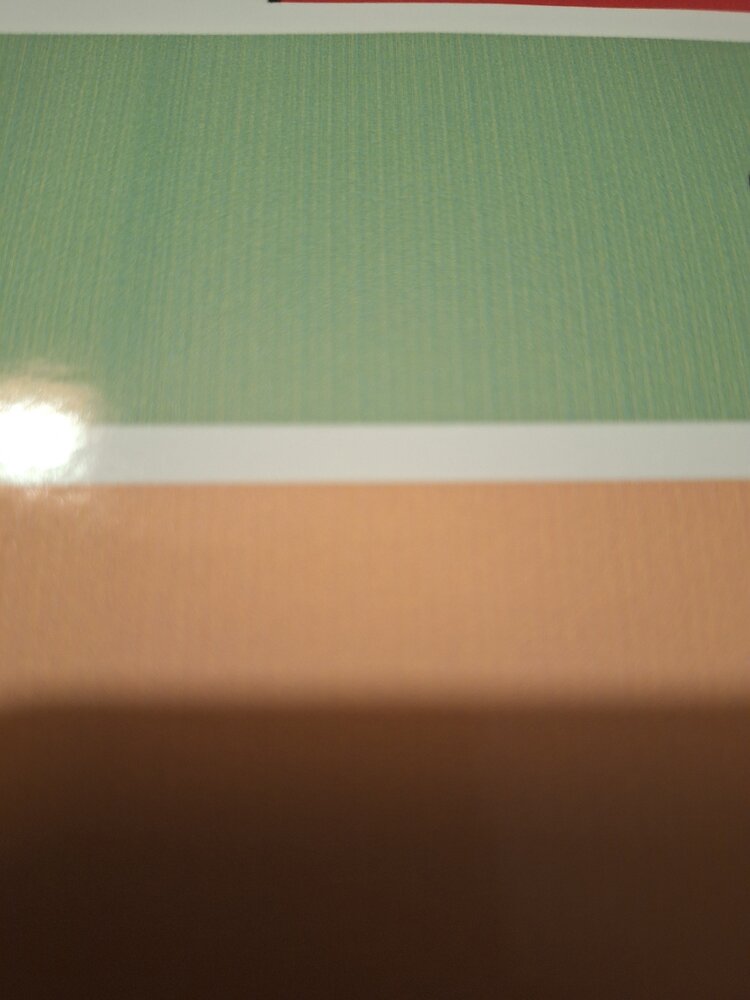
1000032456.jpg

1000032459.jpg
 

Attachments

  • 1000032460.jpg
    1000032460.jpg
    82.7 KB · Views: 12
Any help would be greatly appreciated.
This is most unusual using OEM inks..

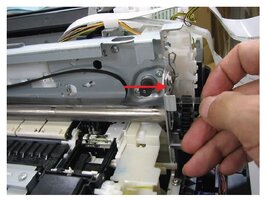
Try and clean the timing strip at the back of the print head, and if that doesn’t work then do the same with the aligning wheel..

Clean the timing strip on both side but its only necessary to clean the aligning wheel the side you can see on the left side of the carriageway..
timing.JPG timing strip
5128_paper_wheel.pngAligning wheel
 
This is most unusual using OEM inks..

Try and clean the timing strip at the back of the print head, and if that doesn’t work then do the same with the aligning wheel..

Clean the timing strip on both side but its only necessary to clean the aligning wheel the side you can see on the left side of the carriageway..
View attachment 19183 timing strip
View attachment 19180Aligning wheel
Thanks for the advice, I'll try that this evening. I'll let you know how I get on.
 
I think the C, M and BK nozzles are damaged by overheating even if OEM ink is used. Printing an A4 page with 100% coverage in colour is a torture for the printhead. Years ago printing purge pages to clean nozzles was recommended, but it is no longer as they might do more damage than good.

The printhead is QY6-0086 and it is still available from regular dealers of Canon spare parts. Do not buy cheap "refurbished" printheads from China. They are most used and most often defective.
 
I think the C, M and BK nozzles are damaged by overheating even if OEM ink is used. Printing an A4 page with 100% coverage in colour is a torture for the printhead. Years ago printing purge pages to clean nozzles was recommended, but it is no longer as they might do more damage than good.

The printhead is QY6-0086 and it is still available from regular dealers of Canon spare parts. Do not buy cheap "refurbished" printheads from China. They are most used and most often defective.
I was thinking it was something I was doing, Like I said, I print A4 edge to edge with almost complete cover on high quality mode onto glossy photo paper. I was worried about just getting a print head as it's about half the price of the printer, by the time I factor in the ink cost I could probably buy the new printer which comes with free ink.
 
Well I stripped it down, I could see they were black but not sure if that how it should be? Gave it a wipe but didn't seem to help. It all looked very clean.
1000032518.jpg
1000032519.jpg
 
Back
Top