Cassiop38
Printing Apprentice
- Joined
- Dec 17, 2025
- Messages
- 43
- Reaction score
- 7
- Points
- 13
- Printer Model
- Epson, Canon, HP.
So... I have now enough ink to try a rescue on a Canon pro 1.
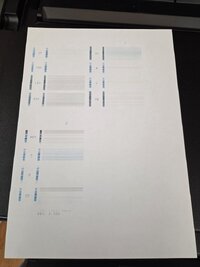
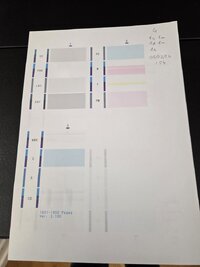
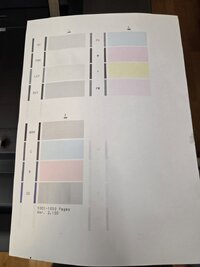
Symptoms : print blank pages /nozzle checks, no errors.
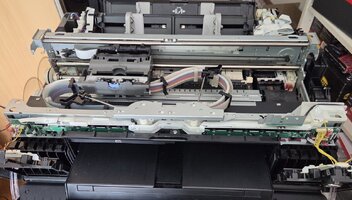
Current plan : power up the printer, unplug it so the printhead move freely, rube the printhead over a octoink cleaning solution for canon soaked towel paper.
Replug the printer, do a simple head cleaning cycle, try a nozzle check.
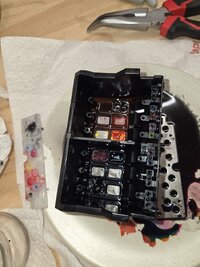
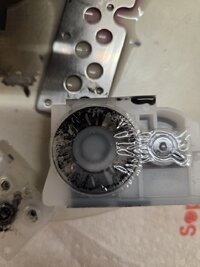
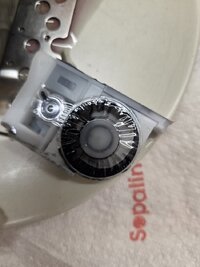
Worth to be noted : i removed the 12 cartridges to feed pgi-72s and i'm a tiny bit worried that ink could have clogged the ink inlet. The tiny tube that goes inside the pgi-29s to suck ink. I could probably reach them with IPA soaked... Thing stick you put in your ears, cant remember the name. Should i ?
All suggestions are welcome,
Thanks !
Symptoms : print blank pages /nozzle checks, no errors.
Current plan : power up the printer, unplug it so the printhead move freely, rube the printhead over a octoink cleaning solution for canon soaked towel paper.
Replug the printer, do a simple head cleaning cycle, try a nozzle check.
Worth to be noted : i removed the 12 cartridges to feed pgi-72s and i'm a tiny bit worried that ink could have clogged the ink inlet. The tiny tube that goes inside the pgi-29s to suck ink. I could probably reach them with IPA soaked... Thing stick you put in your ears, cant remember the name. Should i ?
All suggestions are welcome,
Thanks !