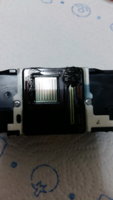
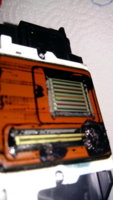
I have just finished unclogging an MG5250 bought from a thrift store at DKK 50 or 7 or 8 € or $. The pigment black was totally missing, meaning same error as described by iml and palombian. Click to enlarge:
View attachment 5680
A stamp test showed the pigment black nozzles were clogged, meaning the print head most likely did not suffer from an electronic damage and could could possibly be saved:
View attachment 5681
I placed the print head on a paper handkerchief wetted with
pharmacists cleaning solution in a tray and pushed down on the print head several times. After some time traces of the pigment black started to show. After more "pumping" much more ink stained the paper handkerchief, and I changed it and repeated the process several times with several new handkerchiefs and pauses between pumping. After several handkerchiefs and a couple of hours I attached a piece of plastic hose to the pigment black ink inlet and filled it with pharmacist's cleaning fluid and just waited for the fluid to disappear from the hose, indicating the nozzles or at least some of them had been unclogged:
View attachment 5682
Shortly after having finished photographing the setup, the cleaning fluid in the hose had disappeared. I made sure the print head was dry and reinstalled it in the printer. I ran a normal,
not deep nozzle cleaning and most of the pigment black nozzles were back. After two more nozzle cleanings I got this nozzle check, click to enlarge:
View attachment 5683
As can be seen the unclogging was a success, and the dye colours are also good, but sadly the dye black nozzles look to have suffered thermal damage, maybe caused by an unsuitable ink, no cleaning can correct this error:
View attachment 5684
It is very important the print head is dry before reinstalling, else it can be damaged and it can also damage the logic board, making the printer a total loss. Water or cleaning fluid can be trapped behind the ribbon cable and the circuit board on the back side of the print head.
See this. Also
see this and
this.