

[Tool] ChromIQ – a macOS and Windows GUI for ArgyllCMS printer profiling (v4.2.0)

I just released ChromIQ v4.2.0

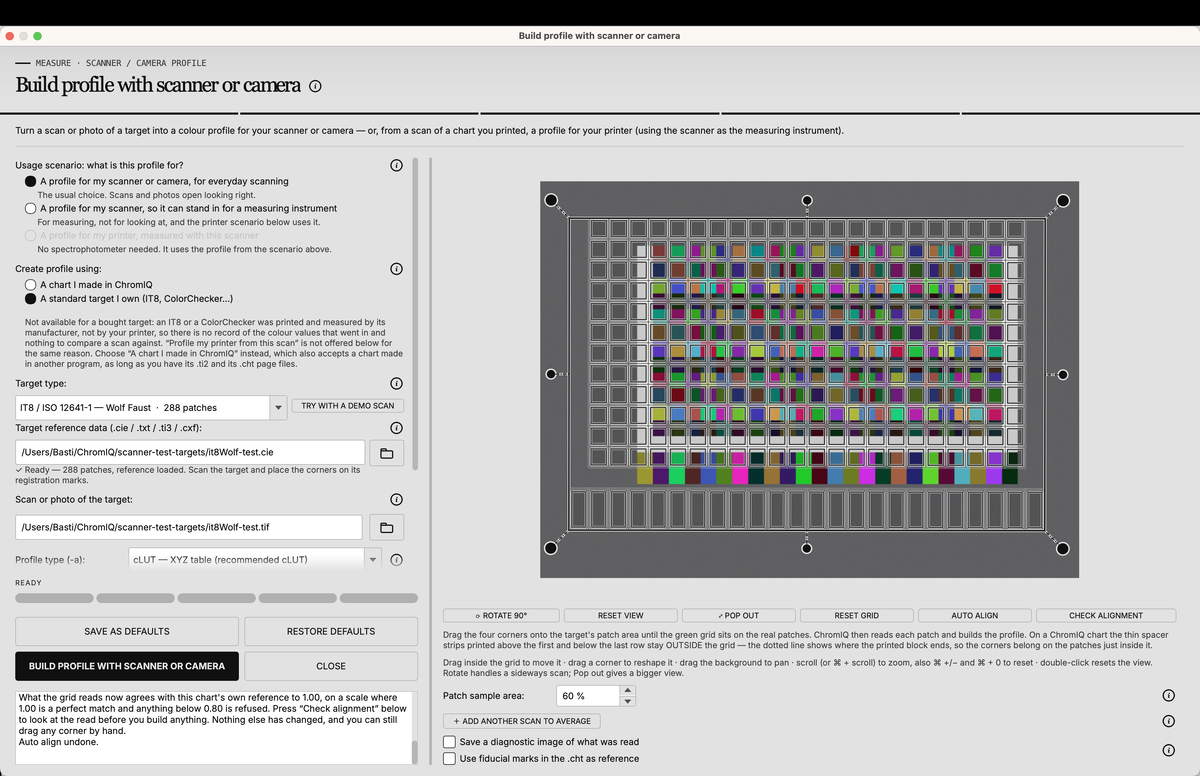
Main new features are the support of the CR30 spectro plus some presets for it made by Knut, a new neutral colorscheme and an overhaul of the "Build profile with scanner or camera" tool which got a new layout, an auto align button for the mesh and some usage scenarios that preset some options so it is easier to use overall.
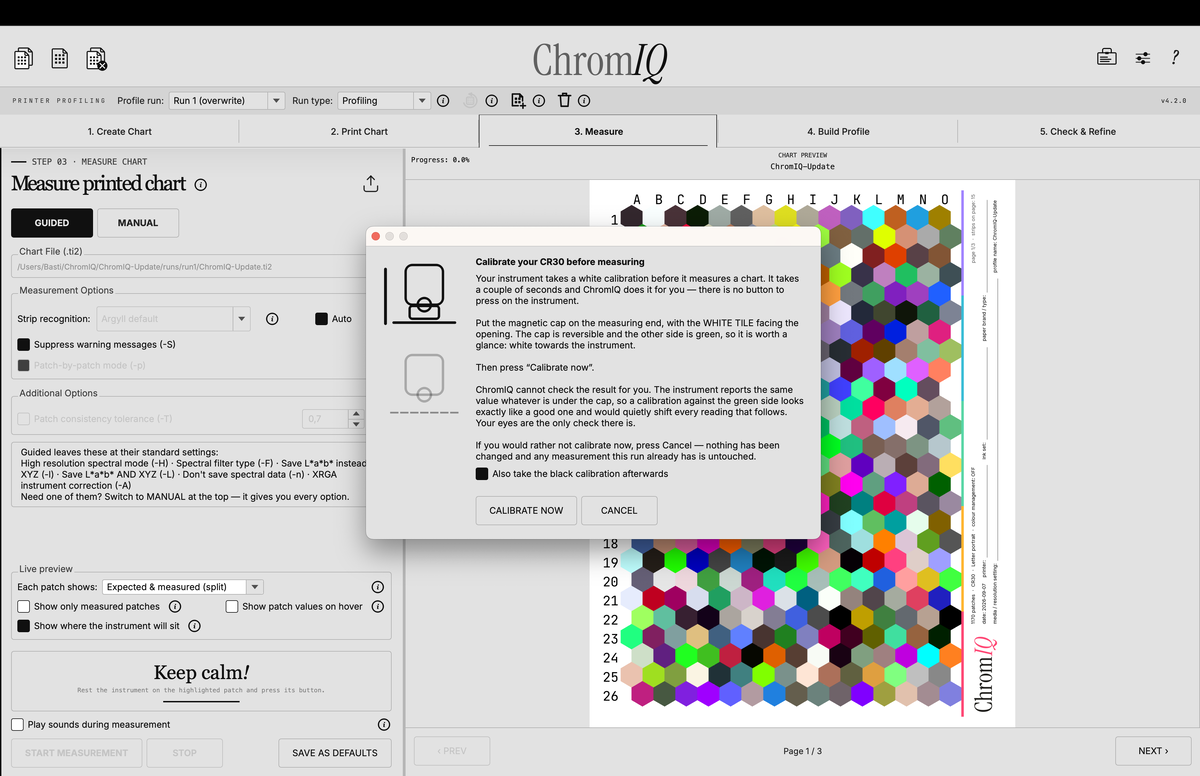
Bildschirmfoto 2026-09-07 um 03.42.16.png


Bildschirmfoto 2026-09-07 um 04.58.17.png


On top of this there are a lot of bug fixes included.

The full changelog:

https://github.com/itsab1989/ChromIQ/releases/tag/v4.2.0
 
Just tried the beta 10: no problem reading in my chart using BT and the spacebar trigger. The error on saturated patches is also gone. Oh, and the resulting profile is really good. Very impressive :)

Hi Wim,

How did you connect the CR30 via BT with the Windows computer ? I am stuck, despite my PC has built-in BT and it does not find the CR30. Any help much appreciated. At this moment I use USB-connection, but would like to try BT connection
 
Last edited:
At least on macOS you don’t really have to do anything to connect it. You only have to make sure the device is turned on and then start the measurement. It takes a second and then the calibration window pops up.
 
Hi Wim,

How did you connect the CR30 via BT with the Windows computer ? I am stuck, despite my PC has built-in BT and it does not find the CR30. Any help much appreciated. At this moment I use USB-connection, but would like toe try BT connection
Hi Nelson,

It should show up under "other devices" in your BT settings (mine is called CM443L1072). Once paired, ChromIQ connects to it automatically.
 
Sorry that I am not much of a help here. On my Mac I don’t see the device when scanning for blutooth devices at all. I just click the button once to make sure it is turned on and then ChromIQ connects to it automatically.
On my iPhone it is similar. Under system preferences I don’t find it in the bluetooth device list but the ColorMeter app lets me connect to it anyway.
I only have to make sure to disconnect this before using it on the Mac.
 
Hi @itsab1989 as promised I took some time to optimize a 2 presets for ChromIQ for the i1Pro1/2/3 spectro's.

There are no current presets for small paper sizes like 10x15 cm (4x6") and 13x18 cm (5x7") that are ergonomically optimized for the scanning jigs/tables of these spectro's. With some physical limitations of the paper sizes, these targets should give a better scanning experience than automatically generating them.

I have using the built-in patch ChromIQ generator with an educated patch distribution to encompass the outer colour extremes and surfaces and optimize the patch sampling around the neutral/near neutral axis again (for maximum neutral grey printing for a given paper/ink/printer combination) combined with an evenly 3D distribution of the rest of patches to fill up the colour cube to 600 for the 10x15 cm target (4 sheet target) and 648 for the 13x18 cm target (3 sheet target).

This will enable users to profile small paper sizes that are not available in larger paper sizes to get a good rgb printer profile with a i1Pro1/2/3 spectrophotometer.

I will send you the files via email to integrate them in the upcoming versions of ChromIQ as presets.

1788856448197.png
 
Thanks for your effort Nelson! I have already replied to your mail an will have a closer look at the presets later. I was busy trying to make a video to show off ChromIQ. I am not the best presenter and it turned out pretty long while still only scratching the surface of what is possible but I think it is ok for what it is:

 
Back
Top