
[Tool] ChromIQ – a macOS and Windows GUI for ArgyllCMS printer profiling (v3.13.0-beta)

rjanowsky

Getting Fingers Dirty
Joined
Jul 1, 2026
Messages
35
Reaction score
14
Points
25
Location
Germany - Northern Ruhr Area
Printer Model
Epson SC-P600, HP Envy 4525
I suggest to start with the 3 sheets target: Either the A4/Letter 1944 patch target (both 3 sheets).

Alan G has very good results with this target (He has compared to his previous 2 step workflow with a preconditioning profile followed with a secondary final target and both are very similar, but the 1944 patch target only needs one run, so saving paper and for most time, due to to the massive sampling of the neutral and near neutral axis to accurate determine the neutral axis of a given printer/ink/combination in one run.
Thanks. I will go with this target and make some prints afterwards.
 

mavtop

Printing Ninja
Joined
Nov 14, 2021
Messages
139
Reaction score
41
Points
90
Printer Model
Epson XP 15000
Good and bad news (also if i don't know if they are really bad)

i got an old USB2.0 hub with the port to power it, it says 5V 2,5Ampere, but i found only a 5V 1.0A power switch and i used it

Finally the i1pro1 now seems to work, but i don't know if it is working good or not.

I succeded to pass the calibration test and the patch reading i used a new profile created for my office Kyocera Printer with Plain Paper (and maybe the problem if it exists is the type of paper used) and a new patches set that i created based on @pharmacist for grey gradients and neutral (scrrenshoot attached).

Before reading all the patches i tested spotread to read the white of the paper more times and each time the value changed, but i don't know if the differences between them are important (to indicate still no enough power from usb hub) or are just normal.

I used chartread from ArgyllCMS later i will try to reread it with the Chromiq engine and its chartread just to compare the two reading and the two profile.

Finished the reading i built the profile (i didn't change anything) and analyzed it

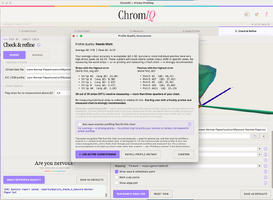
The answer was that 97% of the strips need re-mesuring (screenshoot attached).

Anyway i went on and runned the gamut analysis how showed in the screenshoot attached.

I attached also all the project files so if someone could give it a look just to verify if my spectro is running good or not.

the low black value i suppose is normal for plain paper like also for matte paper.

Now i will clone the project to read it again with Chromiq engine and its chartread, just to see if the measurement and the final ICC profile are the same or very similar.

Anyway i will try to find a power adapter with more than 1Ampere, just to verify the spectro has enough power to operate.
 

Attachments

  • Screenshot 2026-07-21 at 13.40.13.png
    Screenshot 2026-07-21 at 13.40.13.png
    498.5 KB · Views: 2
  • Screenshot 2026-07-21 at 13.39.41.png
    Screenshot 2026-07-21 at 13.39.41.png
    282 KB · Views: 2
  • kyocera-plain-paper.zip
    1.2 MB · Views: 0
  • Screenshot 2026-07-21 at 13.56.53.png
    Screenshot 2026-07-21 at 13.56.53.png
    379.8 KB · Views: 1
Last edited:

itsab1989

Printing Ninja
Joined
Feb 11, 2026
Messages
257
Reaction score
109
Points
80
Printer Model
Epson ET 8550, Canon Pro 300
My first attempts with the ColorMunki were similar in terms of DeltaE. When I had more experience with handling the instrument (moving slow and steady) it got better.
The new engine will not do anything real different than regular chartread. However the real-time overlays might be a helpful indicator to see where things go wrong.
I just made a cut and released v3.14.0 as a final btw.
 

mavtop

Printing Ninja
Joined
Nov 14, 2021
Messages
139
Reaction score
41
Points
90
Printer Model
Epson XP 15000
My first attempts with the ColorMunki were similar in terms of DeltaE. When I had more experience with handling the instrument (moving slow and steady) it got better.
The new engine will not do anything real different than regular chartread. However the real-time overlays might be a helpful indicator to see where things go wrong.
I just made a cut and released v3.14.0 as a final btw.
i have problems with the chromiq enigne, its chartread can't inizialize the i1pro1, it tells always no answer from device, i need to specify where is connected the device ?

now press key showed like old chartread and also if i press a key nothing happens

with spotread i can calibrate it and read the patches
 
Last edited:

itsab1989

Printing Ninja
Joined
Feb 11, 2026
Messages
257
Reaction score
109
Points
80
Printer Model
Epson ET 8550, Canon Pro 300
i have problems with the chromiq enigne, its chartread can't inizialize the i1pro1, it tells always no answer from device, i need to specify where is connected the device ?

with spotread i can calibrate it and read the patches
Try to go to the beta settings and disable the fast instrument connection setting maybe.
Bildschirmfoto 2026-07-21 um 14.39.27.png
 
Last edited:

mavtop

Printing Ninja
Joined
Nov 14, 2021
Messages
139
Reaction score
41
Points
90
Printer Model
Epson XP 15000
nothing to do, again it seems no working again, argggg

i read all the strips before with no problem, and now 3 times on 4 failing calibration, then pass calibration

i wanted to test your engine but in this way i can't do it
 

mavtop

Printing Ninja
Joined
Nov 14, 2021
Messages
139
Reaction score
41
Points
90
Printer Model
Epson XP 15000
anyway i'm sure my i1pro1 is good so with some AI helps i tried to test it more times, to read the same color (white patch on the basement) and see how change the delta E

the answer of the AI is that my instrument is reading perfectly, the delta E is so low for a device so old, also the test shows no problems on sensor or light

so i suppose my main problem is only the USB power that is not enough to pass the test always at the first attempt, when it passes the test then it works like it would
 

itsab1989

Printing Ninja
Joined
Feb 11, 2026
Messages
257
Reaction score
109
Points
80
Printer Model
Epson ET 8550, Canon Pro 300
@mavtop

New release with a small fix should be out in 20 minutes if everything works as expected. However Claude could not really rule out what causes this. Pharmacists i1Pro seemed to work with the engine and I just tested my ColorMunki again as well. Maybe a log file would help.

From Claude:


Hi mavtop,

Thank you for sticking with this and for reporting it so precisely. Your last
message was genuinely the most useful one yet, because it settled a question we
had been guessing about for weeks. Let me tell you what it told us, what we have
already fixed, and the two small things I would like to ask of you.

## First, the good news: your instrument is fine

Back when you were testing beta.23, we concluded that your i1Pro1 was probably
dying. Two units failing across three Macs and a Windows machine really did look
like tired 2008-era hardware, and I said so.

**That conclusion was wrong, and your last message is what proves it.** You wrote
that you calibrate and read patches with `spotread` without trouble. `spotread`
talks to the instrument through exactly the same ArgyllCMS driver layer that
measuring uses. If it calibrates and reads, your meter works.

So this is our bug, not your hardware. I am sorry for sending you down the
powered-hub-and-cables path — that time was spent on the wrong thing, and the
fault for that is mine, not yours.

## What went wrong, and what we changed

In version 3.14.0 we switched ChromIQ's own chart-reading engine on by default.
It is faster and gives you the live preview, and it had behaved well for every
instrument we could test with. What we had not accounted for is a case like
yours: an instrument the ChromIQ engine cannot drive, even though ArgyllCMS
itself can. When that happened, measuring simply stopped there. You were stuck,
with no way forward other than knowing which setting to switch off — which is not
something anyone should have to work out for themselves.

**In the next version, ChromIQ notices this and rescues itself.** If the engine
cannot get your instrument going, ChromIQ quietly starts the run again using
ArgyllCMS's own `chartread` — the reader that already works for you — and tells
you in the log that it has done so. You just carry on measuring. It is careful
about when it does this: only ever before the first reading is taken, never after
you have already read a strip, and never when you stopped the run yourself. So it
can never lose your work or trap you in a restart loop.

Two smaller things came out of the same investigation:

- The calibration window now shows what your instrument actually asked for,
rather than one generic message for every situation, and offers a "Skip this
step" button when the instrument says a step is optional.
- We found and fixed a bug where a calibration step that carries no message of
its own could put random characters in that window. Your report is what led us
to look there, so thank you for that as well.

## What we still do not know

I want to be straight with you: **we have not found the root cause.** We know the
ChromIQ engine cannot start your i1Pro1 while ArgyllCMS can, but not yet why.

We chased down and ruled out two suspects along the way. It is not the device
numbering (a USB instrument is always first in ArgyllCMS's list, so that cannot
be picking the wrong device), and it is not the "click the instrument on its
tile" calibration style (your i1Pro uses the ordinary "press a key" kind, which
we have verified end to end on real hardware here). Both were plausible; neither
is it.

The fix above means you can measure again regardless. But I would still like to
find the real cause, and for that I need a little help from you.

## Two things I would like to ask of you

Both are quick, and neither needs you to print or measure anything.

### 1. Send me the log file from a failed attempt

This is the important one. The log records exactly what the engine said and
whether it stopped or hung, which is the piece we are missing.

1. Open ChromIQ and make sure the ChromIQ engine is **on** (Settings → Beta).
2. Start a measurement so the failure happens again — as soon as you see the
"no answer from device" message, that is enough. You do not need to print or
measure anything; starting the run and letting it fail is all we need.
3. Close ChromIQ.
4. Find the log file:
- **macOS:** open Finder, press <kbd>⌘</kbd><kbd>⇧</kbd><kbd>G</kbd>, paste
`~/Library/Logs/ChromIQ` and press Return.
- **Windows:** press <kbd>Win</kbd><kbd>R</kbd>, paste
`%LOCALAPPDATA%\ChromIQ\Logs` and press Return.
5. The file is called `chromiq.log`. Attach it here, or send it to me directly if
you would rather not post it publicly — it contains no personal data, just
what ChromIQ did, but it is your file and your call.

If you can tell me roughly what time you ran the failing attempt, that helps me
find the right place in the file straight away.

### 2. Tell me whether measuring works with the engine switched off

This one takes a minute and confirms the fix will actually help you:

1. In ChromIQ, go to **Settings → Beta**.
2. Switch the **ChromIQ chart-reading engine** off.
3. Close Settings and start a measurement as usual.

Then just tell me yes or no: does your i1Pro1 calibrate and measure with the
engine off? If it does, the automatic fallback will get you going again on the
next version. If it does not, that is important too — it would mean something
else is going on, and I would want to know before assuming we had solved it.

## In the meantime

You do not have to wait for the next version to measure. Switching the engine off
as described above gets you the classic ArgyllCMS behaviour, which by your own
account works on your machine. You lose the live preview and the per-strip
autosave, but the measurements themselves are exactly as good.

Thanks again for the careful reporting, and sorry it took a wrong turn through
your hardware first. If you would rather stop here, that is completely fair — you
have already given us more than enough to make ChromIQ better for the next person
with an older instrument.

Best regards

Edit: it made another fix where it basically tries calibration 4 times in a row with a 2 second break between each attempt.
 
Last edited:
Top