[Tool] ChromIQ – a macOS and Windows GUI for ArgyllCMS printer profiling (v3.0.0 beta 10)

Alan G

Getting Fingers Dirty
Joined
Jul 15, 2017
Messages
16
Reaction score
13
Points
45
Location
Bethesda, Maryland
Printer Model
Canon Pro-1000
Yes, the bidirectional button threw me for a loop. Once I turned it off (enable bidirectional reading) it worked fine. I just finished doing to profiles for Moab Somerset Rag (matte) and Canson Platine Fibre Rag (gloss) with version 3.6.1 of the program. I used one page for a preconditioning profile (which is actually quite good and can be used if one is only printing small size prints) and a two page final profile (normally, I use four pages here). I encountered no errors running the program and the soft proofing looks fine in Lightroom. Gamut for both profiles were the same as the profiles I did 6 years go using the command line Argyll. I also checked to see how the program handles update notifications (click on the prefernces icon in the upper right corner. It informed me that there is a new version and sent me to GitHub to download it.
 

itsab1989

Getting Fingers Dirty
Joined
Feb 11, 2026
Messages
30
Reaction score
13
Points
23
Printer Model
Epson ET 8550, Canon Pro 300
Thanks for sharing. You should also get an automatic update notification at bottom of the first three tabs. Now that I mention it it might be worth fixing that this notification does not show in the other tabs as well.

One thing that I tried to fix yesterday was the appearance of the light mode. Active comboboxes and spinboxes should have a white fill in my opionion instead of the same color as the background. Basically the same as for fields where you can enter text. But after going back and forth with AI for over an hour it was not able to fix this and told that for some reason this would not be possible and I nearly can‘t believe this.

Sometimes it is so smart and gives you great results for complex issues and sometimes it is pretty disappointing (or maybe it is right after all).

Just another example: when a tab is selected in the app the gets this colorful background but the color was bleeding into the tab button on the right of it by 1 pixel. You would think this is a simple fix but it took several attempts until it found the right code that needed to be modified.


By the way: if anyone here also has an account on dpreview and could say a word about the app there this would be very kind. I tried posting there myself but my posts are held under moderation or completely deleted. It is frustrating that I can‘t reply there:

https://www.dpreview.com/forums/thr...y-testing-wanted.4836447/page-2#post-68685177
 
Last edited:

pharmacist

Printer VIP
Platinum Printer Member
Joined
May 29, 2007
Messages
3,054
Reaction score
1,780
Points
333
Location
Ghent, Belgium
Printer Model
SC-900 ET-8550 WF-7840 TS705
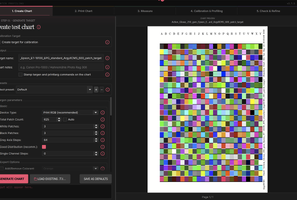
A small suggestion: would it possible to program the layout of the target generated for i1pro1/2/3 from this:

1779217403501.png


Into something like this (patches moved to the right and downwards):

1779218773125.png


The reason is this when you put the target on the scanning table:

It must be pressed under a paper clamp and when too high the first few rows cannot be scanned as the i1pro2 is lifted upwards by the clamp:

IMG_20260519_211128.jpg


To overcome this I have to move down the paper, but as such the paper is no longer pressed under the clamp:

IMG_20260519_211235.jpg


The downwards placement is necessary because of this:

When aligned towards to right side the scanning eyes stopped on a patch, NOT on a white area of the paper (important for scanning: it needs to start from paper white and ends on white paper).

IMG_20260519_212833.jpg


An example of my modified and ergonomical target that can be clamped completely to the upper right side of the scanning jig/guider (when moving from left to right it starts on white and ends on white and does not block the scanning eye of the i1Pro2):

1779219484274.png


You can have a look at the positioning of the patches in relation to the paper surface and have a look at the agenda I have add to this ArgyllCMS target, like information about printer/date/ink set/media setting/profile name (probably this can programmed so it will be printed on the target).
 

Attachments

  • 1779217616639.png
    1779217616639.png
    264.7 KB · Views: 3

Alan G

Getting Fingers Dirty
Joined
Jul 15, 2017
Messages
16
Reaction score
13
Points
45
Location
Bethesda, Maryland
Printer Model
Canon Pro-1000
@pharmacist - What size paper are you using in those pictures? When I print a target out on letter size paper, I get an ample space to mount on the reading tray (i1 Pro). It gives me the exact same target as doing it manually (22 x 21 patches)
 
Top