know
Newbie to Printing
- Joined
- Mar 12, 2026
- Messages
- 3
- Reaction score
- 2
- Points
- 3
- Printer Model
- Brother MFC-9460
Hello All,
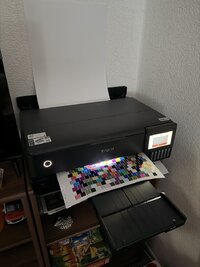
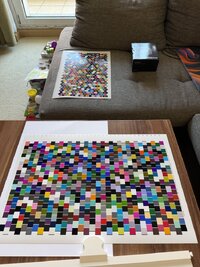
It seems admin deleted my previous user (knowing) and all my posts accusing me for Spam. I have worked months to create scripts for the benefit of all users in this forum (and internationally), so I hope profiling interested users on this forum is not deprived from being informed of the below script tool.
As a result, I am discouraged from posting more releases for the Argyll_Printer_Profiler script in the future, unless specifically asked for, as admin seems to delete such posts. Users that are interested in this script must therefore use the link in this message to get the latest version.
Download from GitHub: Argyll_Printer_Profiler
Bugs (issues) may also be submitted on the GitHub repository link above.
Please post questions and feedback on usage in this thread, or on GitHub (user required).
Several updates have been released last month and maturity is now quite high, so I hope few releases (or none) will be made in the future. Those that have tried the scripts and contacted me on the ArgyllCMS mailing list (freelists.org) have given very positive feedback. I hope all that are interested in a simple non-technical workflow for printer profiling will find this helpful.
The following are the highlights:
Summary
Best Regards,
K
It seems admin deleted my previous user (knowing) and all my posts accusing me for Spam. I have worked months to create scripts for the benefit of all users in this forum (and internationally), so I hope profiling interested users on this forum is not deprived from being informed of the below script tool.
As a result, I am discouraged from posting more releases for the Argyll_Printer_Profiler script in the future, unless specifically asked for, as admin seems to delete such posts. Users that are interested in this script must therefore use the link in this message to get the latest version.
Download from GitHub: Argyll_Printer_Profiler
Bugs (issues) may also be submitted on the GitHub repository link above.
Please post questions and feedback on usage in this thread, or on GitHub (user required).
Several updates have been released last month and maturity is now quite high, so I hope few releases (or none) will be made in the future. Those that have tried the scripts and contacted me on the ArgyllCMS mailing list (freelists.org) have given very positive feedback. I hope all that are interested in a simple non-technical workflow for printer profiling will find this helpful.
The following are the highlights:
Summary
- Supports all instruments that ArgyllCMS supports, but target generation menus have been made with ColorMunki and i1Pro in mind.
- Added comprehensive premade i1Pro charts for A3, A4, and Letter sizes in expert-level category (see Pre-made_Targets folder).
- Updated documentation (README.md, index.md) to reflect new charts and improve clarity.
- Fixed critical bugs, standardized error handling, handling of .icm extension and ensured consistent logging across Bash and Python scripts.
- Removed obsolete custom target options and corrected spelling/typos in scripts and configuration files.
- Improved Windows scripts for better ArgyllCMS path management.
Best Regards,
K
Last edited: