
[Tool] ChromIQ – a macOS and Windows GUI for ArgyllCMS printer profiling (v3.9.0)

pharmacist

Printer VIP
Platinum Printer Member
Joined
May 29, 2007
Messages
3,205
Reaction score
1,839
Points
333
Location
Ghent, Belgium
Printer Model
SC-900 ET-8550 WF-7840 TS705
OK here is the scanning process I use with my Epson WF-7840 scanner.
1783195091596.png


First I use the profile made with the 288 patch target of the eye-one Match software (i1{ro1):

1783195119354.png


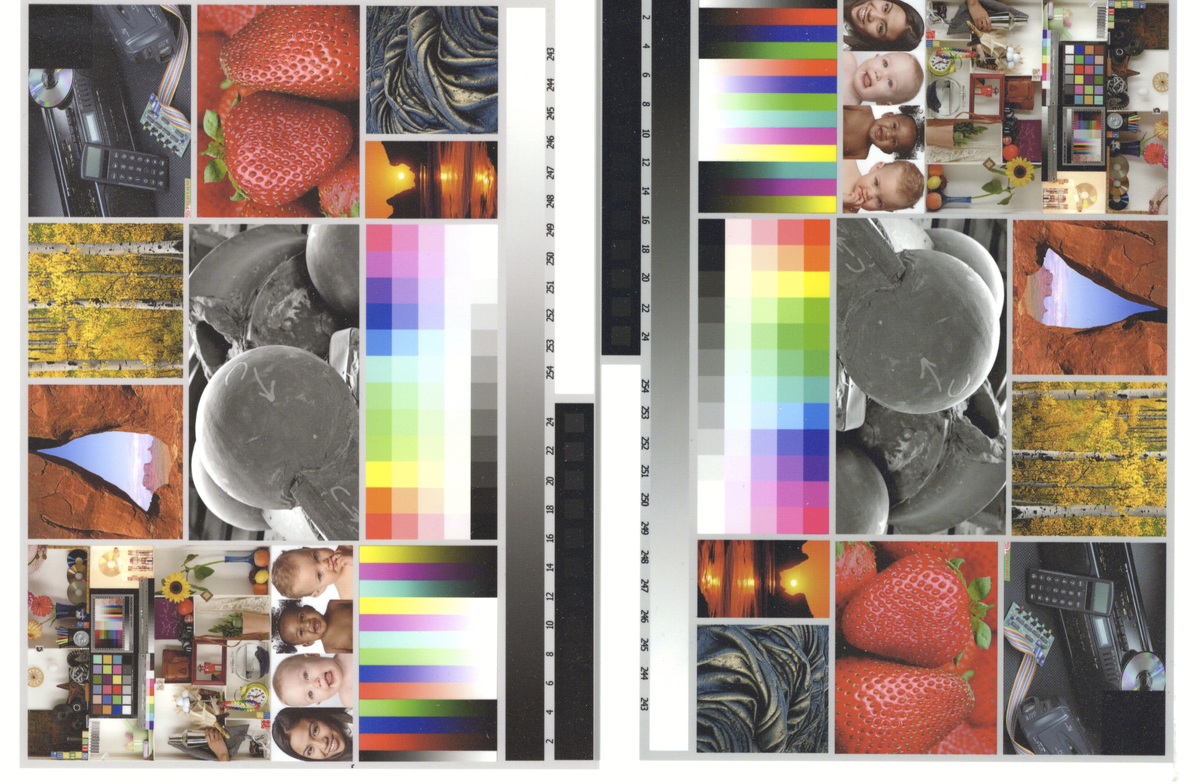
The sescond scan is made with ChromIQ with 480 patch target with 24 grey steps:
1783195194346.png


The result is much better using the ChromIQ target. I am very happy with the result. Thanks @itsab1989 with helping to solve the problem, but it is now perfect. The only thing is that opening a file it takes about 3 seconds before the files are visible (not sure what is causing this), so in the beginning I see either nothing or in the best circumstance only one directory......but after a while the rest of the directories/files are visible.
 

pharmacist

Printer VIP
Platinum Printer Member
Joined
May 29, 2007
Messages
3,205
Reaction score
1,839
Points
333
Location
Ghent, Belgium
Printer Model
SC-900 ET-8550 WF-7840 TS705
Here is the package of the complete working directory. correction: deleted download the one later.
 
Last edited:

itsab1989

Fan of Printing
Joined
Feb 11, 2026
Messages
206
Reaction score
89
Points
60
Printer Model
Epson ET 8550, Canon Pro 300
I know you mentioned this before but can you please explain again what exactly you did and in which dialog opening a file takes so long? Is it everywhere or only in specific spots?
 

pharmacist

Printer VIP
Platinum Printer Member
Joined
May 29, 2007
Messages
3,205
Reaction score
1,839
Points
333
Location
Ghent, Belgium
Printer Model
SC-900 ET-8550 WF-7840 TS705
Especially in the scanner profile generation window, where you have to choose the ti3 and the corresponding tif file to generate the scanner profile. It hangs considerably long here (Ryzen 5700G with 32 GB RAM and Samsung SSD). It gives you the feeling the files are not there unless you wait about 30-60 seconds before the files/directories become visible. Als the selection option to arrange the files according to the most recently on top it doesn't react like in in Window Explorere (which gives the most recent files on top, while ChromIQ seems to give asynchronical arrangement)

1783196555157.png
 

itsab1989

Fan of Printing
Joined
Feb 11, 2026
Messages
206
Reaction score
89
Points
60
Printer Model
Epson ET 8550, Canon Pro 300
I just wanted to try it myself with the files you attached and got this:

Bildschirmfoto 2026-07-04 um 22.33.39.png
 

pharmacist

Printer VIP
Platinum Printer Member
Joined
May 29, 2007
Messages
3,205
Reaction score
1,839
Points
333
Location
Ghent, Belgium
Printer Model
SC-900 ET-8550 WF-7840 TS705
I see I have uploaded the faulty version, one moment....

This is the right one.
 

Attachments

  • ChromIQ_scanner_target_480.zip
    12.5 MB · Views: 2

pharmacist

Printer VIP
Platinum Printer Member
Joined
May 29, 2007
Messages
3,205
Reaction score
1,839
Points
333
Location
Ghent, Belgium
Printer Model
SC-900 ET-8550 WF-7840 TS705
Here you have an example of the strange behaviour of the hanging file reading:

1783198166957.png


Only one directory shown, despite full of tif files in this directory. And after while (30-60 seconds wait):

1783198261080.png
 

itsab1989

Fan of Printing
Joined
Feb 11, 2026
Messages
206
Reaction score
89
Points
60
Printer Model
Epson ET 8550, Canon Pro 300
I let it investigate. On both my macOS and Windows system I did not experience those issues right away. My assumption is that it might be because the directory contains a lot of files and that might slow it down. But lets wait for Claudes test.
 
Top