[Tool] ChromIQ – a macOS and Windows GUI for ArgyllCMS printer profiling (v3.9.0)

itsab1989

Fan of Printing
Joined
Feb 11, 2026
Messages
186
Reaction score
83
Points
60
Printer Model
Epson ET 8550, Canon Pro 300
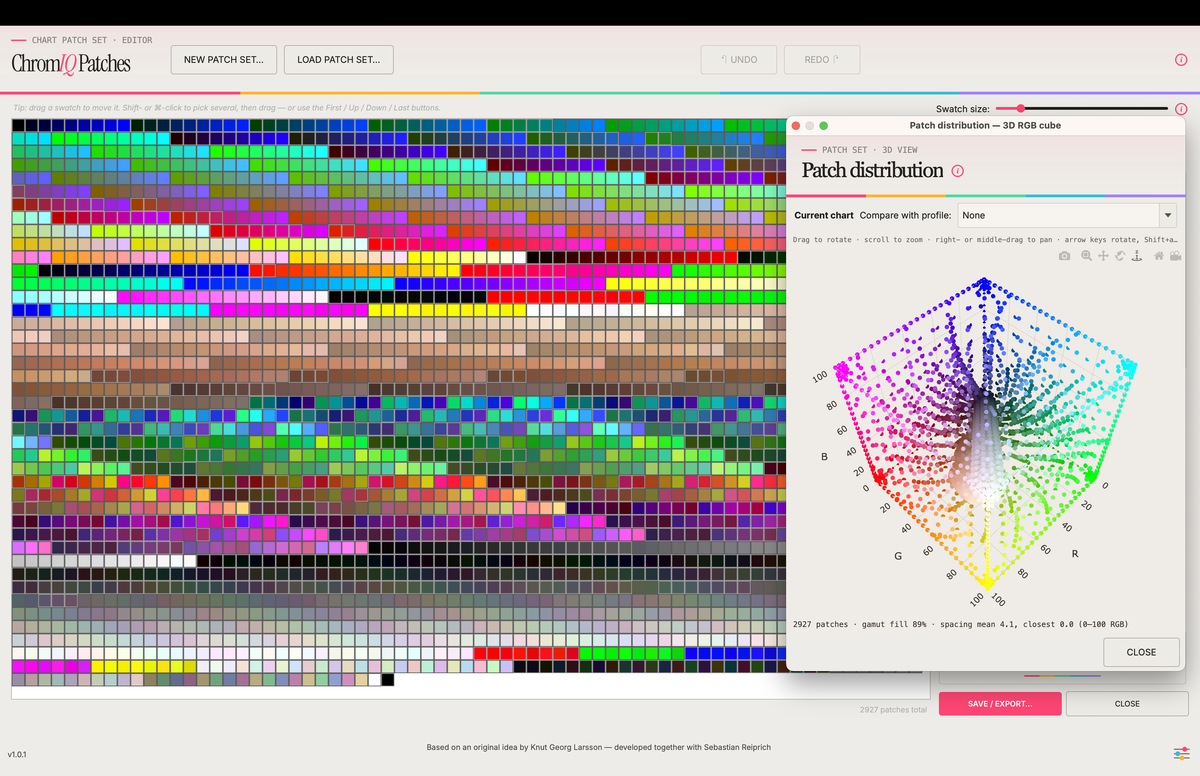
Because it was requested the Patch editor is now also available as a standalone app under the name ChromIQ Patches in case someone only wants to generate patches for i1Profiler.

https://github.com/itsab1989/chromiq-patches/releases

IMG_0757.png
Bildschirmfoto 2026-07-02 um 14.36.05.png
 

itsab1989

Fan of Printing
Joined
Feb 11, 2026
Messages
186
Reaction score
83
Points
60
Printer Model
Epson ET 8550, Canon Pro 300
The latest Beta added support for Argylls scanin tool for flatbed scanner profiling. When you have measured a chart that was created with the latest beta version of ChromIQ the pop up in the measure tab offers a new checkbox that allows to save scanner profiling files for this chart. The same checkbox will also be in the Check & Refine tabs assessment pop up window and there is a separate tool that allows you to do the same thing.

https://github.com/itsab1989/ChromIQ/releases

Bildschirmfoto 2026-07-02 um 18.59.42.png


You would then scan and safe an uncorrected tiff file of the exact same chart you have measured before (should be one from a better quality paper though) and then go to the other new tool that allows you to build a scanner profile from those ingredient. NOTE: I have not tried this at all yet. It is based and Knuts descriptions and a little back and forth between me and Claude. If someone is willing to try this and maybe give some feedback whether it is working or not then this would be very kind.

Bildschirmfoto 2026-07-02 um 19.13.43.png
 

itsab1989

Fan of Printing
Joined
Feb 11, 2026
Messages
186
Reaction score
83
Points
60
Printer Model
Epson ET 8550, Canon Pro 300
Very nice. It should work with the chart you have measured a few days ago.
 

pharmacist

Printer VIP
Platinum Printer Member
Joined
May 29, 2007
Messages
3,183
Reaction score
1,836
Points
333
Location
Ghent, Belgium
Printer Model
SC-900 ET-8550 WF-7840 TS705
OK trying a 644 patch target with the following setting:

1783015195422.png


The reason we can get 23 rows of 28 patches:

without shuffle we got this with the ti1 file in ChromIQ:

1783015609479.png


Now loading the corresponding pxf file in i1Profiler with some manipulation in order to get the same colour range so you can see the colour patches in the same area:

1783016045298.png


OK seems to be legit and valid.
 

pharmacist

Printer VIP
Platinum Printer Member
Joined
May 29, 2007
Messages
3,183
Reaction score
1,836
Points
333
Location
Ghent, Belgium
Printer Model
SC-900 ET-8550 WF-7840 TS705
I am going to try the collink function later on (scanner profiling). Ohh stupid me I think you mean the scanner profiling.
 
Last edited:
Top