
[Tool] ChromIQ – a macOS and Windows GUI for ArgyllCMS printer profiling (v3.9.0)

pharmacist

Printer VIP
Platinum Printer Member
Joined
May 29, 2007
Messages
3,165
Reaction score
1,826
Points
333
Location
Ghent, Belgium
Printer Model
SC-900 ET-8550 WF-7840 TS705
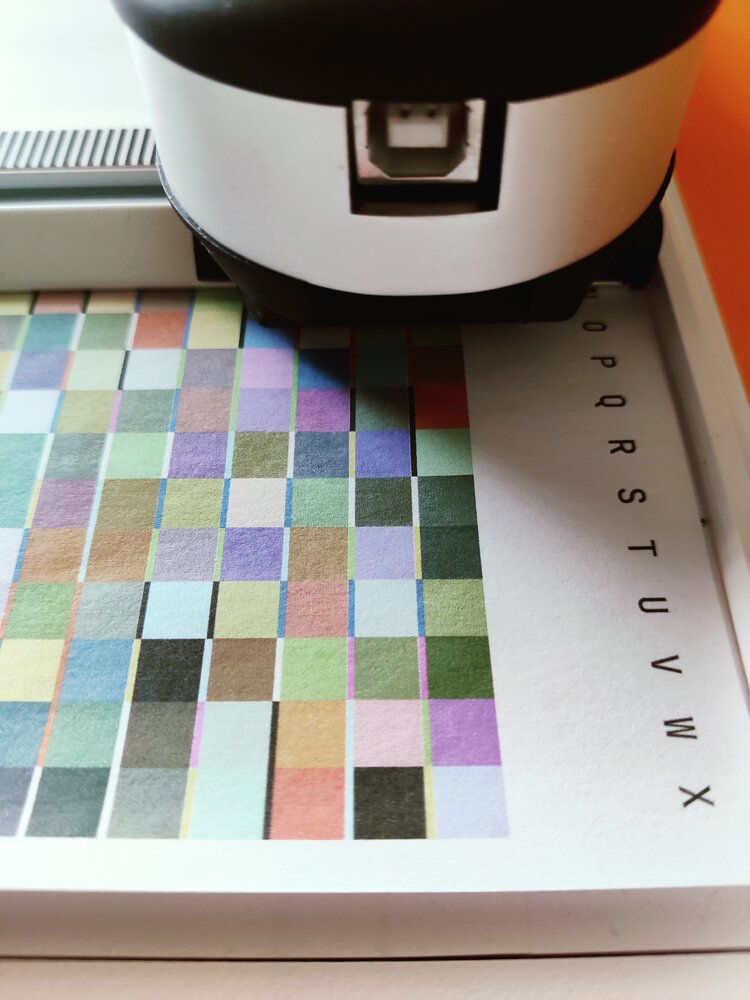
@itsab1989 Almost right only the right side is to wide: the scanning eye stops on a coloured patch and not on paper white:
IMG_20260627_192046.jpg


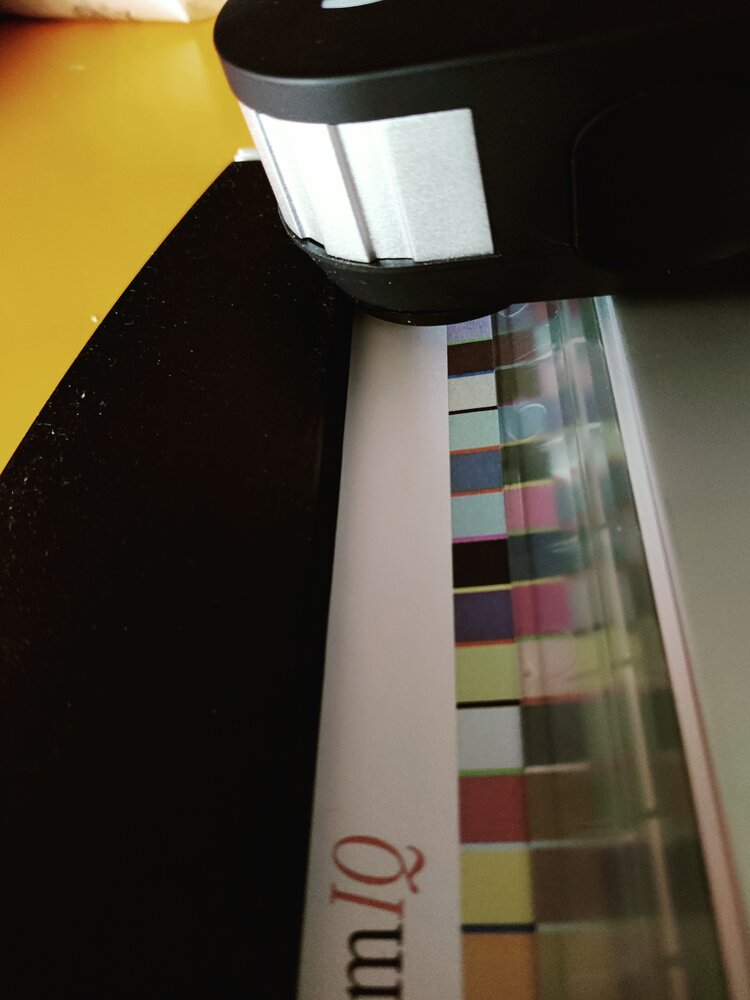
The upper margin is perfect: spectro does not touch/scratch the black rubber clamp:
IMG_20260627_192020.jpg


Maybe you should diminish the space bar width (maybe -a0.70).
 

pharmacist

Printer VIP
Platinum Printer Member
Joined
May 29, 2007
Messages
3,165
Reaction score
1,826
Points
333
Location
Ghent, Belgium
Printer Model
SC-900 ET-8550 WF-7840 TS705
Here a comparison of my specially adapted target (720 patches) with your automatic generated ChromIQ 720 target:

IMG_20260627_193120.jpg


I have folded the paper so you can see the row width difference:

IMG_20260627_193323.jpg


So the whole patch width should shrink with about 1.5 patch width to clear the area on the the upper side.
 

itsab1989

Fan of Printing
Joined
Feb 11, 2026
Messages
165
Reaction score
77
Points
60
Printer Model
Epson ET 8550, Canon Pro 300
I was just playing around with some values. Fixed the bug with the spacer gap.

https://github.com/itsab1989/ChromIQ/releases/tag/v3.13.0-beta.9

Maybe you find the correct settings. Or maybe a missing control even

I chose A4 portrait, top and bottom margin 10mm, right margin 4. Strip length I set to I believe 280mm but it is limited by the white area anyway.
The patches were 7,5 x 7,3 in my chart. So maybe 7,3 x 7,3 will do? And I set spacer scale to 0,8.
 
Last edited:

pharmacist

Printer VIP
Platinum Printer Member
Joined
May 29, 2007
Messages
3,165
Reaction score
1,826
Points
333
Location
Ghent, Belgium
Printer Model
SC-900 ET-8550 WF-7840 TS705
width: 7.3, height: 7.5 is ok. The trick is to decrease space bar width maybe even -a0.5
 

Alan G

Fan of Printing
Joined
Jul 15, 2017
Messages
45
Reaction score
37
Points
55
Location
Bethesda, Maryland
Printer Model
Canon Pro-1000
@pharmacist - yes, that is the scanning table that I have. Let me know which patch set I should try so that I can compare with a profile from my normal workflow. this does not involve a precondition profile, correct? I'm just curious what the advantage over the other workflow.
 

pharmacist

Printer VIP
Platinum Printer Member
Joined
May 29, 2007
Messages
3,165
Reaction score
1,826
Points
333
Location
Ghent, Belgium
Printer Model
SC-900 ET-8550 WF-7840 TS705
Try this:

1782626332743.png


It needs 3 sheets of Letter. It is a second best option than preconditioning + final profile as it uses number crushing sampling around the visually most important neutral axis. Let me know what you think about the results.
 

hackensacker

Newbie to Printing
Joined
Jun 19, 2026
Messages
3
Reaction score
1
Points
3
Printer Model
ET-8550
I'm always looking to improve B&W printing on my ET-8550, and tried the 1944-patch chart with Canon Fine Art Smooth. This is a warm-tone, OBA-free paper that tends to have a magenta cast with the Epson inks, even after profiling.

The ChromIQ profile analysis was good, highest Delta E 1.27, average 0.25, but a test print had a heavy magenta-brownish push. I did a nozzle check and it was clear. Don't know what happened.

I also made a 1100-patch chart using a Print Prism profile as the refinement source, and that looks pretty neutral.
 

Attachments

  • img20260628_13172454.jpg
    img20260628_13172454.jpg
    150.4 KB · Views: 5
Last edited:

pkk

Fan of Printing
Joined
Jan 4, 2011
Messages
97
Reaction score
42
Points
51
Location
St. Louis Mo.
Printer Model
Canon Pro100 Epson 3880, 9880
Hi All,
I'm still having trouble getting good results. So I have my path set right? Attachments are screen shots of my preferences page.
 

Attachments

  • Auto Detect Button.png
    Auto Detect Button.png
    68.2 KB · Views: 0
  • Test Binaries button.png
    Test Binaries button.png
    69.3 KB · Views: 0
Top