Inky,
I apologize in advance for the length of this post, but hopefully this thread will be added to the FAQ for future reference. If some of this is old hat to you, I apologize in advance, but I just wanted to be thorough in case else has the same questions.
I look for 4 important characteristics in an ink/cartridge:
1. It must consistently deliver ink to the print head, regardless of the rate of ink usage or how long the printer has been idle. This is often the problem when a color goes missing at the end of a print because the cart is starving the ink pickup. On refilled carts, this is usually because the filter and/or sponge are clogged with ink residue after several refills, and there are numerous threads dealing with this problem (e.g.
http://www.nifty-stuff.com/forum/viewtopic.php?id=207). This problem has also been reported on prefilled carts (
http://www.nifty-stuff.com/forum/viewtopic.php?pid=3277#p3277), apparently because there is a blockage between the ink and sponge chambers.
2. The ink must reliably "fire" in the print head. Some inks do not seem to print reliably until the print head has a chance to "warm up" for a few seconds. This problem is characterized by a missing color at the top of a print, with all colors printing properly after about an inch has been printed.
3. Color - covered below.
4. Longevity of prints. There are very few test results available comparing the longevity of Canon and 3rd party inks, but the few that I have seen indicate that there can be a very big difference between inks. You are on your own on this one until someone develops a simple test for individuals to test their own ink/paper combinations. Until there is data to the contrary, I can only suggest that well known, established ink suppliers are more likely to have a better product in this regard than an unknown or new ink supplier (although this is far from a given).
Unless you are using an ink/cart that satisfies the first two characteristics, you should switch suppliers. If the ink doesn't print reliably, the color doesn't matter.
Color is a very big, very subjective subject.
1. As was stated in previous posts, many people don't really care about getting accurate color. Even those who care about color vary between "calibrated eyes" and colorblind, so there is no universal standard for "it's close enough".
2. Your monitor must be calibrated before you do any color adjustments. Adobe Gamma might be OK if you are not critical about your colors, but someone as critical as you definitely needs to use a proper monitor calibration system - plan on $100-200 system to periodically calibrate your monitor. Any errors in your monitor's calibration will directly show themselves in your printed output.
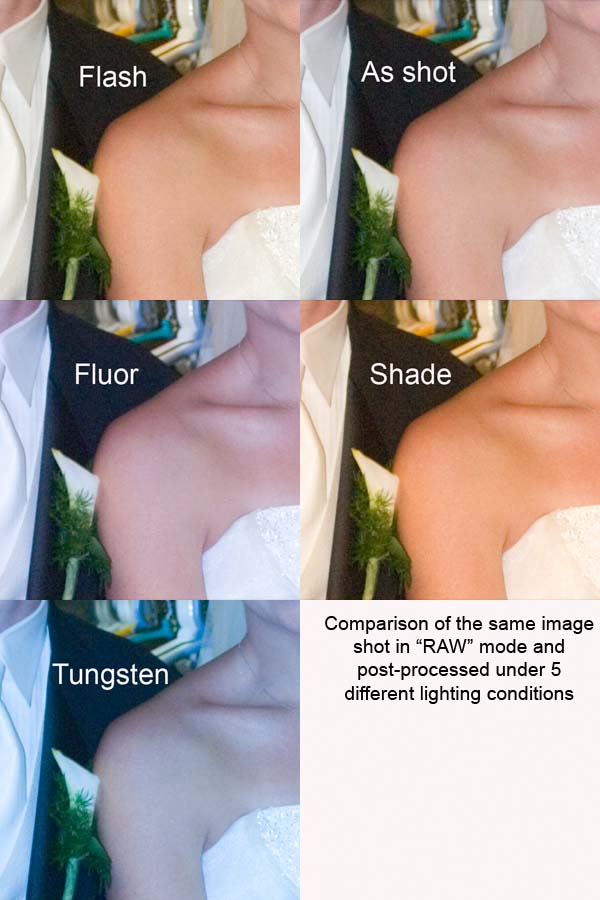
3. Cameras don't automatically capture the "real" color. As was stated in a previous post, the "white balance" must be set properly to get the camera to produce an image close to the right color. The image below shows a small section of a photo shot in "RAW" mode and post processed with 5 different lighting conditions. The "Flash" (5500 deg K) lighting gave the closest match to the bride's true skin tone. In this case, the camera thought that 4800 deg K was correct, but this produced a cooler (bluer) image than the actual colors. The fluorescent and tungsten versions were even cooler, and the shade version was warmer. The important thing to remember from all this is that it can be very difficult to get accurate colors from a camera. The use of a gray or white card is a good way of attacking this problem, as long as the lighting remains constant.
4. Scanners need to be profiled (calibrated) before you can use any output from a scanner to compare absolute colors with other scanners (which must also be profiled). In general, the only valid comparison that you can make with a scanner is if the same image is printed on the same printer on the same paper using two different ink sets, and the two prints scanned at the same time.
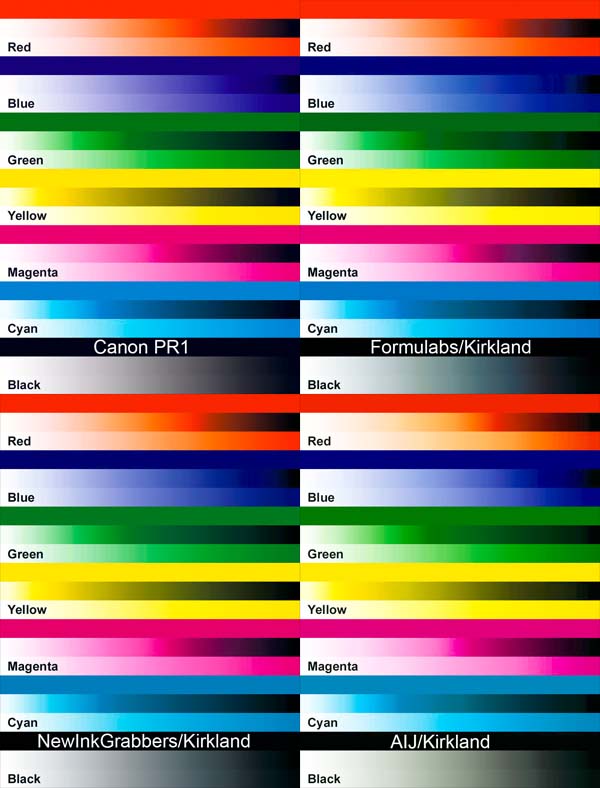
5. I have profiles for Formulabs and AIJ bulk ink and New InkGrabber (G&G) prefilled carts, plus Canon's standard profile for Photo Paper Pro and Canon ink. The following image shows the soft proofs for the same test image and all 4 profiles. I leave it to you to determine which of these gives the best colors (look at the gray gradients at the bottom of each image for color casts). I suggest that you use the eyedropper tool in PS to look at the colors.
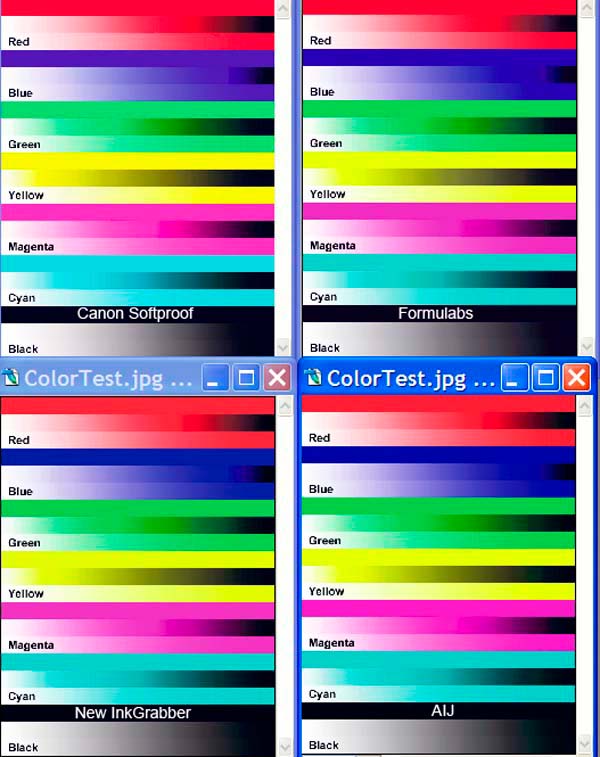
6. The following image was generated by assigning each of the 4 profiles to the same test image, then converting each image to sRGB. This wont show what colors each ink set will print, but it does show the color values that are sent to the printer by each profile. Again, look at the gray gradients with the eyedropper. The R/G/B values for the Canon inks are all very close to each other. This is to be expected, since Canon built the internal RIP in the printer to closely match their own inks. The more the R/G/B values differ from each other, the further the colors of an inkset differ from Canon's.
7. Even if the colors don't match Canon's colors closely, it is not really a problem as long as a custom printer profile can correct the colors. A custom profile only costs about $40 - about the same as the savings on five 3rd party carts. If you are fussy about your colors and only use a few carts/year , stick with OEM ink and paper. If you use a lot of carts, buy a custom profile.
8. FYI - most of the custom profile suppliers have a statement in their terms and conditions to the effect that their profiles cannot be used on any printer other than the printer used to generate the targets. This blocks anyone from sharing such profiles.
9. I have calibrated my monitors and have custom profiles for each of the papers that I use, and I am very happy with the results. I don't have to worry about what will print - what shows on the monitor comes out of the printer (within the limits of the respective color gamuts, of course).