Smudging on some colours

racing_green

Fan of Printing
Joined
Jun 27, 2017
Messages
78
Reaction score
70
Points
68
Printer Model
Epson R2000
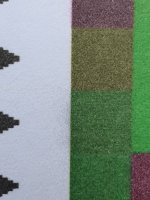
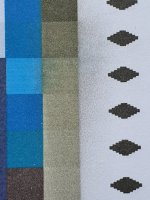
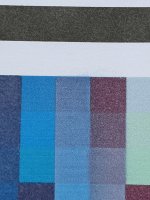
R2000 printer, 4 gaps in check pattern on cyan, 1 on magenta. I'm printing colour calibration sheet with 1440 dpi x 1404dpi and I see some smudging (see images). Left sponge cleaned 3 times in last day. What might be the reason?

Fist image shows the same print with PK and MK.
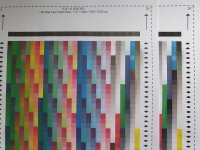
20200814_141944.jpg20200814_142017.jpg20200814_142036.jpg20200814_142040.jpg20200814_142043.jpg20200814_142047.jpg20200814_142059.jpg
 
Cheap paper, I'll test photo paper soon. Looks like higher resolution is causing more smudging. Maybe drop size makes a difference? With cheap paper and low resolution controlled by driver is looks much better. I need to clean the print head as well - I think the problem with blocked cartridge vents possibly left some dried in there.
 
Deflection caused by a dirty nozzle plate, I would say. You'll see it disappear once you have cleared those 5 nozzles. If not, you could have marginal ink viscosity (I had a similar problem traced back to low ink viscosity).
 
On photo paper (semigloss satin/oyster) it looks perfect, so it might be a combination of few things: cheap paper (electrostatic problems? surface bouncing drops back?), driver settings (higher resolution - more problems) and ink phusical properties as well. I washed the cartridges recently, so there is a bit of solvent in the ink. I'll keep doing a test print once in a while and post the report is something changes.

P.S. my wife said: "if Ink Stained Fingers doesn't know the answer, you should sent the printer to home appliances recycling centre" :-)
 
Back
Top