

milewbg
Print Lurker
- Joined
- Sep 25, 2026
- Messages
- 3
- Reaction score
- 0
- Points
- 1
- Printer Model
- Epson F500
Hello everyone! 
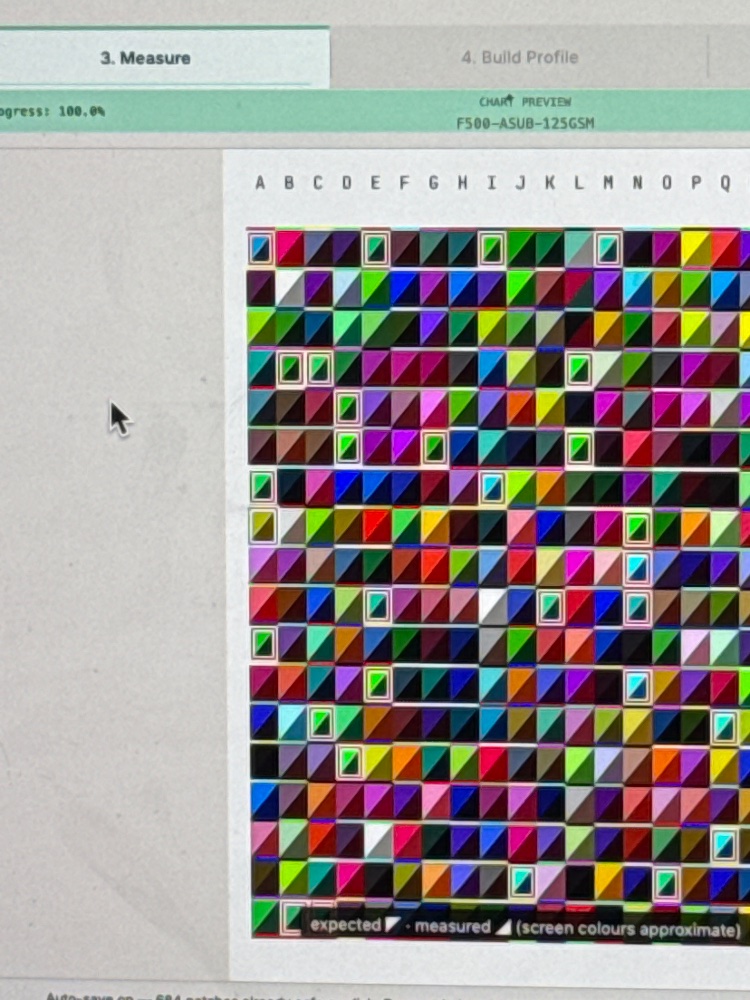
I’m using ColorMunki Design and ChromIQ to create an ICC profile for glossy white aluminum sublimation panels.
I printed 700+ patches with ChromIQ, and 40 of them came back with a red border. When I tested the profile, it said “needs more work,” and ChromIQ told me to refine one of the patches.
I have a few questions:
1. Do I need different color patches specifically for sublimation?
2. How many patches is ideal — 100, 300, or 1000?
Thanks in advance for any advice!
...
I’m using ColorMunki Design and ChromIQ to create an ICC profile for glossy white aluminum sublimation panels.
I printed 700+ patches with ChromIQ, and 40 of them came back with a red border. When I tested the profile, it said “needs more work,” and ChromIQ told me to refine one of the patches.
I have a few questions:
1. Do I need different color patches specifically for sublimation?
2. How many patches is ideal — 100, 300, or 1000?
Thanks in advance for any advice!
...


