The most simplest answer is to use an App. which will allow you to have better and total control over your output, I use a very similar App. for convenience, to print from my Maxify so I know how crazy it can be to print to a certain size. (Which is unimportant)
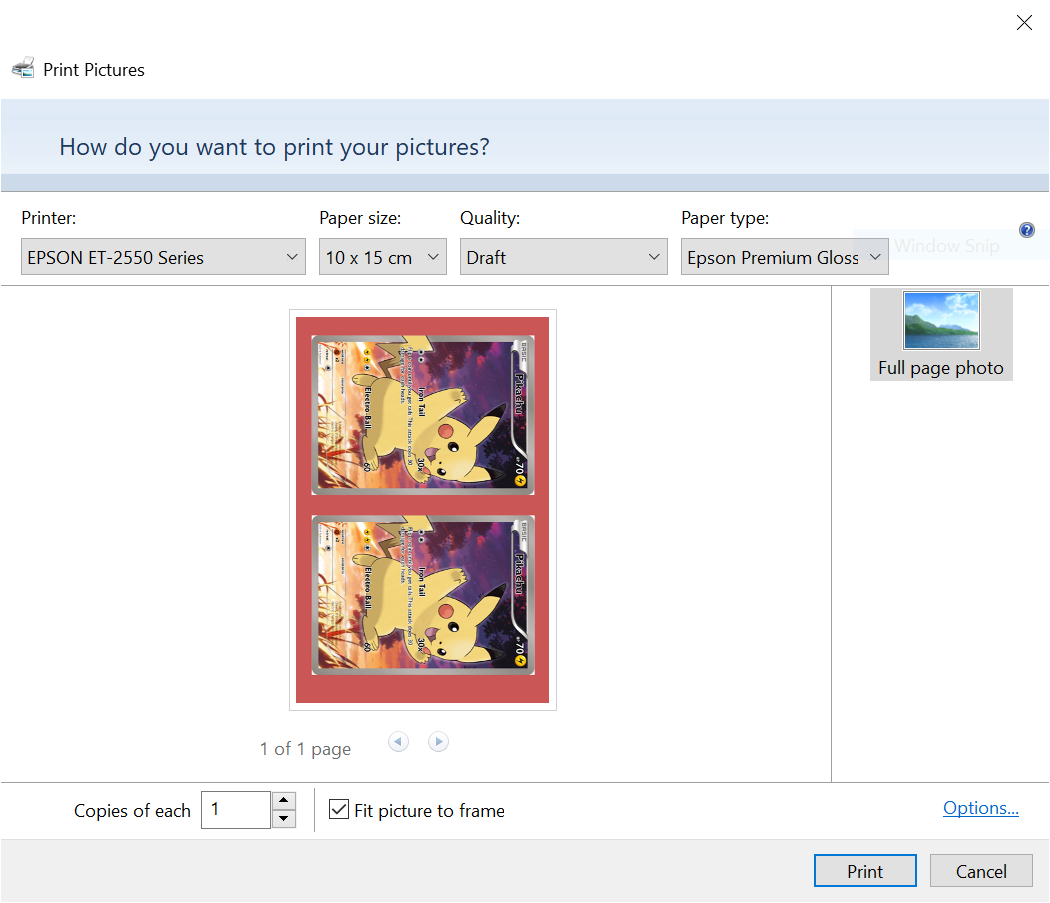
Question ? why are your using good quality glossy paper and then outputting in Draft Mode…
I've tried as many apps as I could find that's compatible with ET-1550 but sadly no borderless options or practical way of resizing the image (just the pinch to zoom on the iPad which doesn't tell you how much it's zoomed or snap to a specific measurement etc, so kinda useless).
And I had some very cheap low-quality old glossy paper lying around and figured I'd test printing with different settings on that rather than wasting more ink and good paper lol

Which software are you using to print these cards ? Yes - the ET-2550 cannot do borderless. What is the actual paper size you are using - 100x150 mm (4x6 inches) or 100x148 mm, there should be different settings in the driver, and if you use a wrong combination of the size setting and the actual paper size you may get another +1 mm on top of it.
What is the exact card size you want to get ? Did you add a white border to your image ? If so you may reduce the size of that border and print again - you are using the 'fit pricture to frame option' . Does your image file contain 2 actual card images ? What are the image file data - X x Y pixels ?
I'm using the Epson driver on windows (it comes up when I click 'more options' when I go to print something), I also try using different apps on my iPad but nothing bypasses the border or lets me zoom the picture properly (just the pinch to zoom thing I wrote about above). The paper size is exactly 4x6", but I'll definitely check for that in future!
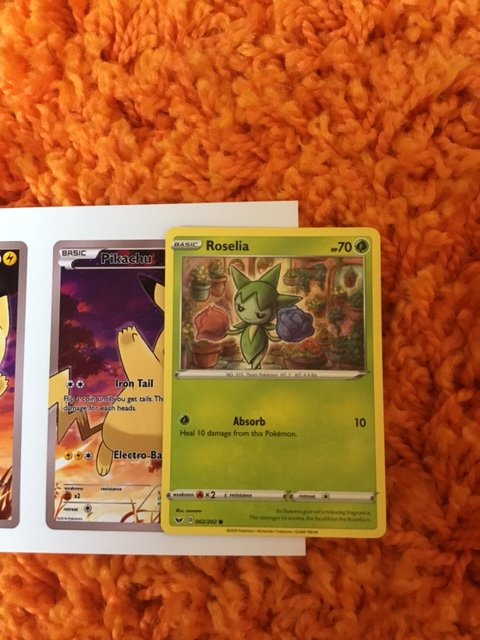
The exact size I want is 6.3cm x 8.8cm per card. I added the white boarder (and threw in a 2nd card because I wanted to print 2 anyways), which makes the entire image file 4x6". I did that because when I printed the card in its original size (6.3x8.8cm), it enlarged it to fit the paper even without "fit picture to frame" turned off. Pixels, I'm not entirely sure, sorry, where can I find that? I drew it on Procreate which just showed the size in inches instead of pixels.
Thank you both!
Small update: I actually did mange to get around it and I don't think there's any quality loss that I can see. I went into the printer driver settings and used a custom paper size to make the printer think it was bigger than it actually is by a few 0.X inches, and managed to get the card the size it should be! I'm not sure if there's any other solution yet but I'm happy with this for now.