

Canon pro 300 issue

jojo73

Newbie to Printing
Joined
Dec 5, 2021
Messages
13
Reaction score
1
Points
8
Printer Model
canon pro 300
Hi all
I often have this problem with my new canon pro 300. vertical stripes on the print!
Now I tried with unidirectional print ON (read on a site) and things go well, but I fear that the problem will come again.
(I've controlled anything, profiles, paper, anything...!!)
this is an example.
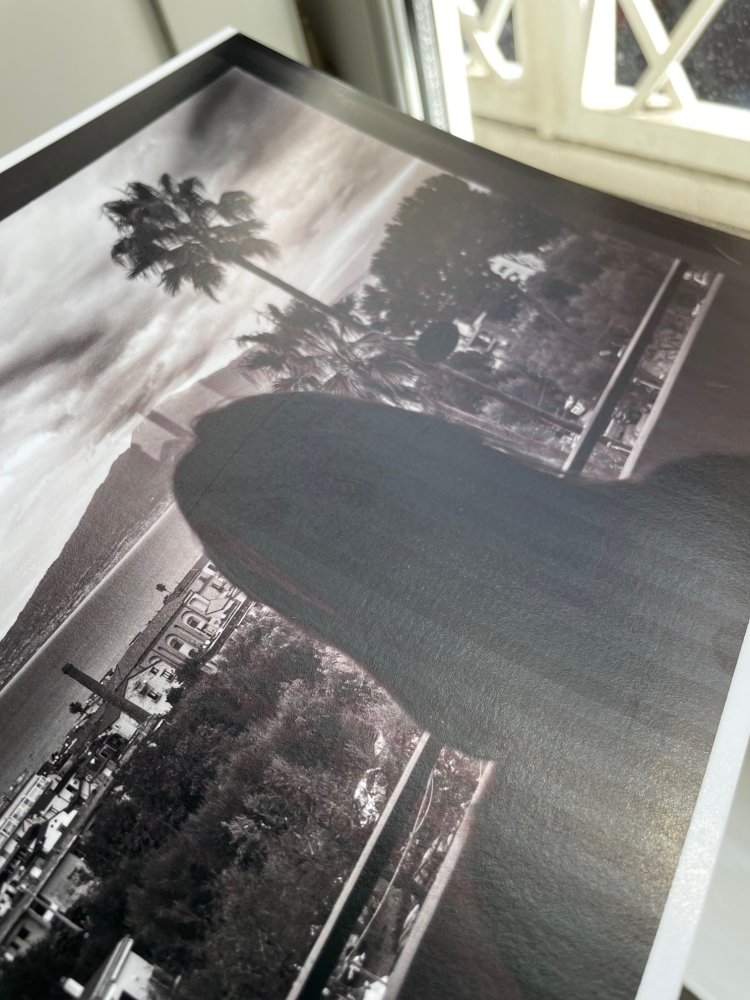
IMG_6870.jpg
 
Welcome to the forum, Jojo73.


Please print a nozzle check, scan, crop and post it. Use a sheet of paper that has nothing printed on the back side. Replace any cartridge marked empty.

For now, print nothing other than nozzle checks until the issue is resolved or advised otherwise.

Are you refilling?

Did this happen all of a sudden? Is it getting worse over time?
 
ok. merci! I'll try. but many times I did the nozzle check and print it. the nozzle check is perfect.
in other sites or blogs they tell that is a feed issue...
(and yes, I always replace empty cartridges)
 
Last edited:
in other sites or blogs they tell that is a feed issue...
Maybe so but my initial concern is you have an irreparable electronic failure in the print head and/or logic assay board.

Does this issue occur no matter what paper manufacturer or type you feed the printer and with any/all settings other than the Unidirectional setting you said the issue disappears with?
 
irreparable... :confused:
first I noticed that the problems are above all with glossy or baryta papers. with matte papers is better.
but the truth is that I never understood when the problem borns. for now, I repeat, with the unidirectional ON it works. now I'll make the nozzle check and print...
 
the nozzle check...
IMG_6872.jpg
 
ah, another thing: I change the cartridge only when the alert is the 'x' in red.
not now, when is like in the photo...

IMG_6873.jpg
 
Thanks for the nozzle check. While it may be perfect in person, the yellow tinting of the image - poor lighting? - alters the colors and makes diagnosing impossible.

Please retake the image for better white balance or scan it.
 
I change the cartridge only when the alert is the 'x' in red.
If you are using new OEM cartridges only - not refilling - then this is the accepted method.
 
Thanks for the nozzle check. While it may be perfect in person, the yellow tinting of the image - poor lighting? - alters the colors and makes diagnosing impossible.

Please retake the image for better white balance or scan it.
thanks to you!!
yes, but no, the yellow is my abatjour... but in person is perfect, trust me.
and... what are the new OEM cartridge??? I always use obviously only originale canon cartridge for the pro 300.
 
Back
Top