Cassiop38
Printing Apprentice
- Joined
- Dec 17, 2025
- Messages
- 43
- Reaction score
- 7
- Points
- 13
- Printer Model
- Epson, Canon, HP.
Hello,
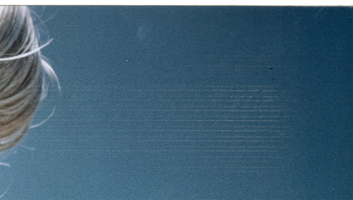
I recently printed 4 images and 3 of them had those marks in the exact same place (top right corner). and only there. any ideas ?
Printer : Canon Pro-10s ~700 prints
Ink : Inktek from printout24
paper : United Office A4 photo paper glossy (Lidl made photo paper around 2016 or something, 50 sheet, 5€. got it with the printer)
Nozzle check : clean
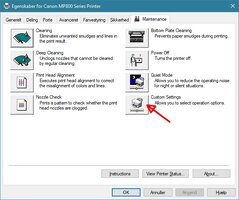
Roller cleaning : done multiple times, still leave black smears on paper but not that much
Bottom plate cleaning : clean
i have a other papers to try (canon and epson photo glossy) and also another set of cartridge with genuine canon ink that i can try but i wanted your opinions before wasting more consumable.
Thanks !
I recently printed 4 images and 3 of them had those marks in the exact same place (top right corner). and only there. any ideas ?
Printer : Canon Pro-10s ~700 prints
Ink : Inktek from printout24
paper : United Office A4 photo paper glossy (Lidl made photo paper around 2016 or something, 50 sheet, 5€. got it with the printer)
Nozzle check : clean
Roller cleaning : done multiple times, still leave black smears on paper but not that much
Bottom plate cleaning : clean
i have a other papers to try (canon and epson photo glossy) and also another set of cartridge with genuine canon ink that i can try but i wanted your opinions before wasting more consumable.
Thanks !