Canon MX882 Ink Absorber Pads Almost Full

GrafinLupus

Newbie to Printing
Joined
Nov 6, 2026
Messages
4
Reaction score
2
Points
6
Printer Model
Canon MX882
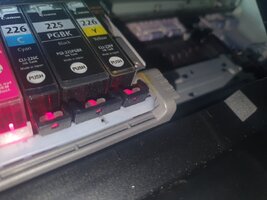
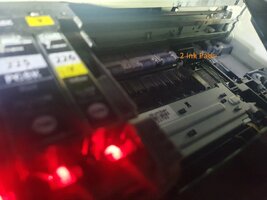
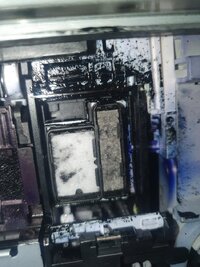
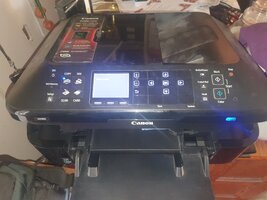
To resolve the subject issue, I was able to find, remove and clean the pads by swishing them in soapy water. See the attached photos.
The pads are very tiny.
I had to use tweezers. Be sure to wear nitrile gloves and have paper towel or rags available.
I used basic dishwashing liquid and rinsed them off in warm water. Be careful
I now need to follow other instructions I found here to reset the counter. I'll update when I'm successful.
 

Attachments

  • Canon MX882 1.jpg
    Canon MX882 1.jpg
    163.4 KB · Views: 66
  • Canon MX882 2.jpg
    Canon MX882 2.jpg
    149 KB · Views: 65
  • Canon MX882 3.jpg
    Canon MX882 3.jpg
    133.8 KB · Views: 58
  • Canon MX882 4.jpg
    Canon MX882 4.jpg
    189.2 KB · Views: 61
  • Canon MX882 5.jpg
    Canon MX882 5.jpg
    183.4 KB · Views: 58
  • Canon MX882 6.jpg
    Canon MX882 6.jpg
    230.8 KB · Views: 58
  • Canon MX882 8.jpg
    Canon MX882 8.jpg
    168 KB · Views: 55
The pads shown in the images are not the ink absorber pads but purge pads. The ink absorber pads are some pads of a felt like material installed at the bottom of the printer case.
 
Back
Top