Bruno HECQUARD
Newbie to Printing
- Joined
- Dec 9, 2023
- Messages
- 10
- Reaction score
- 7
- Points
- 8
- Printer Model
- Canon PIXMA PRO-1
Hi, dear printing colleagues.
Having let my printer alone for nearly one year, connected to the power, I had to replace a few cartridges when i had to use it again.
Cleaning occurred, nozzle check ok, but the colors are weird, with a green dominant.
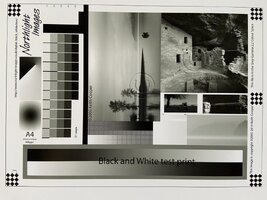
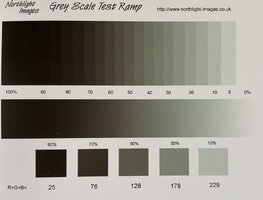
I tried to eliminate software related issues by using various reference images I.e the Datacolor chart, Keith Cooper once’s, black and white charts, and tried LR using first the usual ICC profile for the Canson Satin RC, then without profile letting the printer manage the colors.
I tried other softwares I.e Photoshop, Affinity, and even Adobe ACPU.
I tried on other paper types.
Results shows identically bad, and the green dominant remains present on all prints, including on black and white reference charts. The green cast but is not present when setting the driver to grey levels only.
I consequently suppose that I probably have a defective new cartridge, or a malfunctioning one from the unchanged ones set.
But my hypothesis may be wrong.
Any clue?
If you confirm my hypothesis, which tries should I perform to identify the defective(s) cartridge(s), taking into account the amount of ink which remains in the tubes and the resulting delayed effect ?
Thanks in advance for your ideas
Having let my printer alone for nearly one year, connected to the power, I had to replace a few cartridges when i had to use it again.
Cleaning occurred, nozzle check ok, but the colors are weird, with a green dominant.
I tried to eliminate software related issues by using various reference images I.e the Datacolor chart, Keith Cooper once’s, black and white charts, and tried LR using first the usual ICC profile for the Canson Satin RC, then without profile letting the printer manage the colors.
I tried other softwares I.e Photoshop, Affinity, and even Adobe ACPU.
I tried on other paper types.
Results shows identically bad, and the green dominant remains present on all prints, including on black and white reference charts. The green cast but is not present when setting the driver to grey levels only.
I consequently suppose that I probably have a defective new cartridge, or a malfunctioning one from the unchanged ones set.
But my hypothesis may be wrong.
Any clue?
If you confirm my hypothesis, which tries should I perform to identify the defective(s) cartridge(s), taking into account the amount of ink which remains in the tubes and the resulting delayed effect ?
Thanks in advance for your ideas