

Doghouse
Newbie to Printing
- Joined
- Mar 19, 2026
- Messages
- 2
- Reaction score
- 4
- Points
- 8
- Location
- Norway
- Printer Model
- Epson ET-8550
Can anyone please take the time to take a look at this? Though it could be more of a software issue than a printer problem.
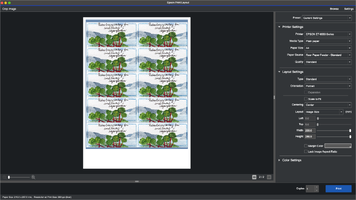
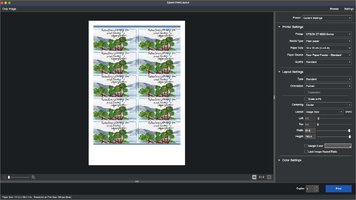
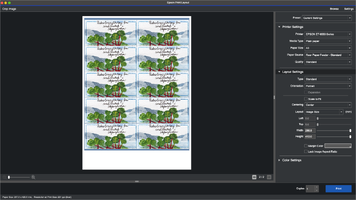
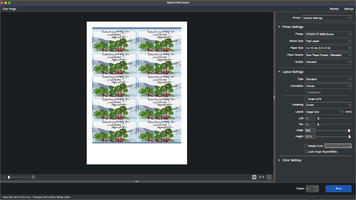
The original image in this case is exactly 20 x 28,7 cm, 360 PPI in size. I've used Epson Print Layout as a PS plugin on Mac (OS 15.1), with the ET 8550 for a long time, more or less, effortlessly. But now it’s impossible to keep the image size consistent when changing paper size in Print Layout 1.5.12. Also in the standalone version. Of course I don't tick “expansion” nor “scale to fit”, 'cause the image (and each sticker) needs to have the same measures as set in PS. In this case, I'm printing stickers on A4 plain paper-stickers.
The preview in Print Layout shows med that the 20 x 28,7 image will be enlarged if printing on A3-paper, but with lower print resolution. Is it just me, or has anyone experienced this using Epson Print Layout?
I wonder if the next step should be to reinstall Print Layout, altogether, hopefully getting rid of all the possible troubling preference files...
(A couple of screenshots, I’m afraid.)
The original image in this case is exactly 20 x 28,7 cm, 360 PPI in size. I've used Epson Print Layout as a PS plugin on Mac (OS 15.1), with the ET 8550 for a long time, more or less, effortlessly. But now it’s impossible to keep the image size consistent when changing paper size in Print Layout 1.5.12. Also in the standalone version. Of course I don't tick “expansion” nor “scale to fit”, 'cause the image (and each sticker) needs to have the same measures as set in PS. In this case, I'm printing stickers on A4 plain paper-stickers.
The preview in Print Layout shows med that the 20 x 28,7 image will be enlarged if printing on A3-paper, but with lower print resolution. Is it just me, or has anyone experienced this using Epson Print Layout?
I wonder if the next step should be to reinstall Print Layout, altogether, hopefully getting rid of all the possible troubling preference files...
(A couple of screenshots, I’m afraid.)
Attachments
Last edited:


