

kainograze
Print Lurker
- Joined
- Nov 17, 2026
- Messages
- 1
- Reaction score
- 0
- Points
- 1
- Printer Model
- Epson L805, Samsung C480fw
Hey,
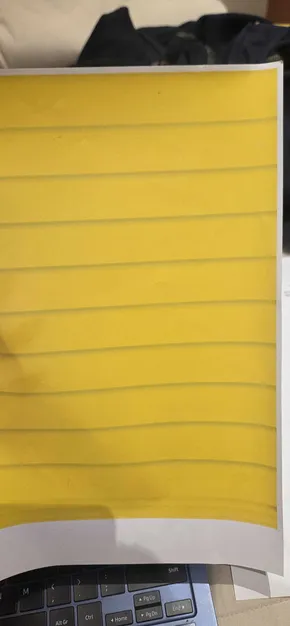
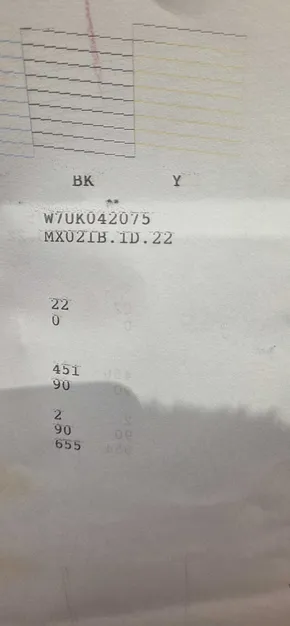
Every since I started printing with my L805 after it spent almost 2 years with no usage, I've been experiencing this gradient ink contamination pattern in my yellow channel caused by the black right beside it. I cleaned the cleaning station and removed air bubbles from the ink containers inside the printhead (which showed no contamination signs inside) but the issue persists. Sometimes, after running the automated nozzle cleaning process, the black ink channels ends up contaminated by yellow with the same patterns, which makes me believe that there is a leakage between the channels inside the printhead and whatever channels has the highest negative relative pressure contaminates the other.
Should i buy a new printhead or is there any other test I can do? It's expensive so I'm asking for advice to be sure it's the right decision.
Every since I started printing with my L805 after it spent almost 2 years with no usage, I've been experiencing this gradient ink contamination pattern in my yellow channel caused by the black right beside it. I cleaned the cleaning station and removed air bubbles from the ink containers inside the printhead (which showed no contamination signs inside) but the issue persists. Sometimes, after running the automated nozzle cleaning process, the black ink channels ends up contaminated by yellow with the same patterns, which makes me believe that there is a leakage between the channels inside the printhead and whatever channels has the highest negative relative pressure contaminates the other.
Should i buy a new printhead or is there any other test I can do? It's expensive so I'm asking for advice to be sure it's the right decision.


