[color] profiler V.20 powered by ArgyllCMS. It's got me beat!

NackJich

Printing Apprentice
Joined
May 8, 2021
Messages
3
Reaction score
1
Points
10
Printer Model
HP Z3200PS
Hi people. I'm a new kid on this profiling block. Wonder if anyone can help me troubleshoot why things are not working
I downloaded this utility for it's graphic interface. I created a directory on c:\ ..C:\Argyll_V2.2.0. In it there are folders bin doc ref usb and licence log readme files.
I also created an Argyll temp folder.

I'm not sure if I can post an image since it's my first post but I'll try..
Yes!!
When I run targen which is the first option, all I get is a paused Command window. Where am I going wrong? Thank you
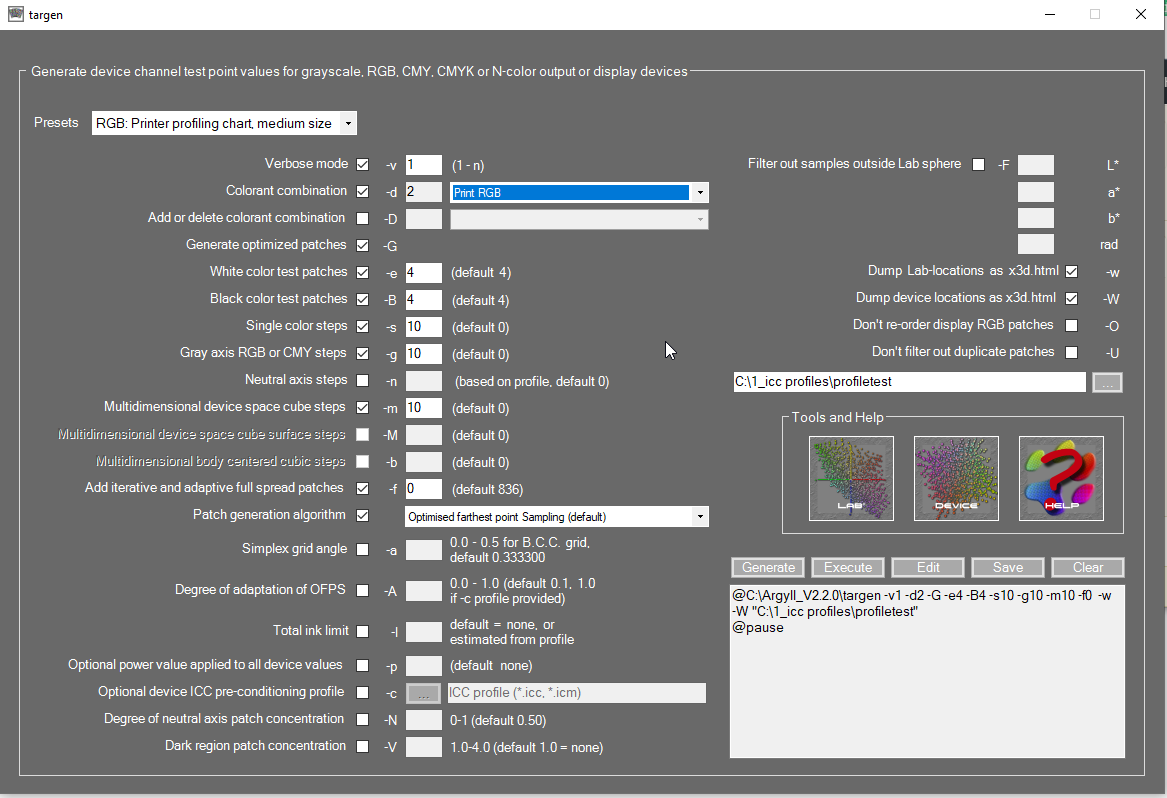
2021-05-09 18_21_57-Argyll temp.png
 
To answer my own question. I think I have worked this out. The idea is you set all the desired parameters for each of the stages, and then open a command window, and copy and paste the contents of the box into it. I was overthinking the powers of this utility. Anyhow I know I'm going to find it very useful now that the pennies have dropped!!
 
What is the name of this utility
 
Hi people. I'm a new kid on this profiling block. Wonder if anyone can help me troubleshoot why things are not working
I downloaded this utility for it's graphic interface. I created a directory on c:\ ..C:\Argyll_V2.2.0. In it there are folders bin doc ref usb and licence log readme files.
I also created an Argyll temp folder.

I'm not sure if I can post an image since it's my first post but I'll try..
Yes!!
When I run targen which is the first option, all I get is a paused Command window. Where am I going wrong? Thank you
View attachment 12133
On the main screen, you need to identify where the executable folder is. I believe it is the first field on the screen. Then you select generate and Execute on the targen screen. Assuming it could write the batch file to the temp folder, it executes the file from there. Check that there are batch files in the temp folder. The program is a vast improvement over hand edited batch files.
 
Just as a thought you may not have the app in the right directory or the PATH variable isn't updated to include the Argyll executable.
 
What is the name of this utility ui for argyll?
 
To answer my own question. I think I have worked this out. The idea is you set all the desired parameters for each of the stages, and then open a command window, and copy and paste the contents of the box into it. I was overthinking the powers of this utility. Anyhow I know I'm going to find it very useful now that the pennies have dropped!!
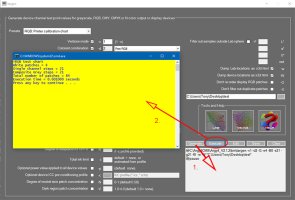
No need to open a command window this is handled using the Execute command:
Step 1
1.Select Targen to generate a target
2 Define all your requirements
3 Select a target Base name for output file this will add a .ti1 extension e.g. test.ti1 to a folder of your choice
Example of Generate window :
@C:\ArgyllCMS\Argyll_V2.1.2\bin\targen -v1 -d2 -G -e4 -B0 -s21 -g21 -f0 -w -W "C:\Users\Tony\Desktop\test"
@pause
4 Execute button will open a CMD window and save your .ti1 file to your chosen folder

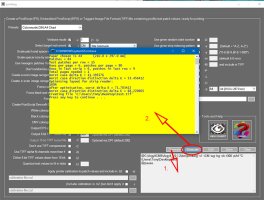
Step 2. Print your target
1. Select your Presets for instrument and fill in all required information
2. Base namer for input/output select your previous test e.g. test.ti1
3. Click Generate then Execute
4. A command window will open showing successful operation and your file is ready to print prior to using Chartread to measure you newly printed chart
 

Attachments

  • Targen.jpg
    Targen.jpg
    253.2 KB · Views: 459
  • Printarg.jpg
    Printarg.jpg
    339 KB · Views: 445
Oops, that’s embarrassing as first reply was to a 2 year old post.🙄. Hope the link at least helpful
 
Oops, that’s embarrassing as first reply was to a 2 year old post.🙄. Hope the link at least helpful
It it's stupid and it works (or is helpful), it ain't stupid..

That and we all do "embarrassing" here... Some are more "experienced" than others... :hu :fl
 
Back
Top