leegypt
Print Lurker
- Joined
- Jun 4, 2026
- Messages
- 3
- Reaction score
- 0
- Points
- 1
- Printer Model
- Canon PIXMA Pro 200
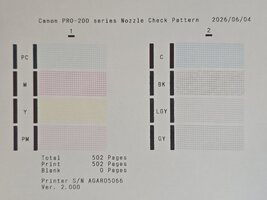
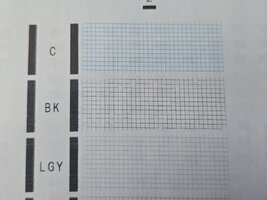
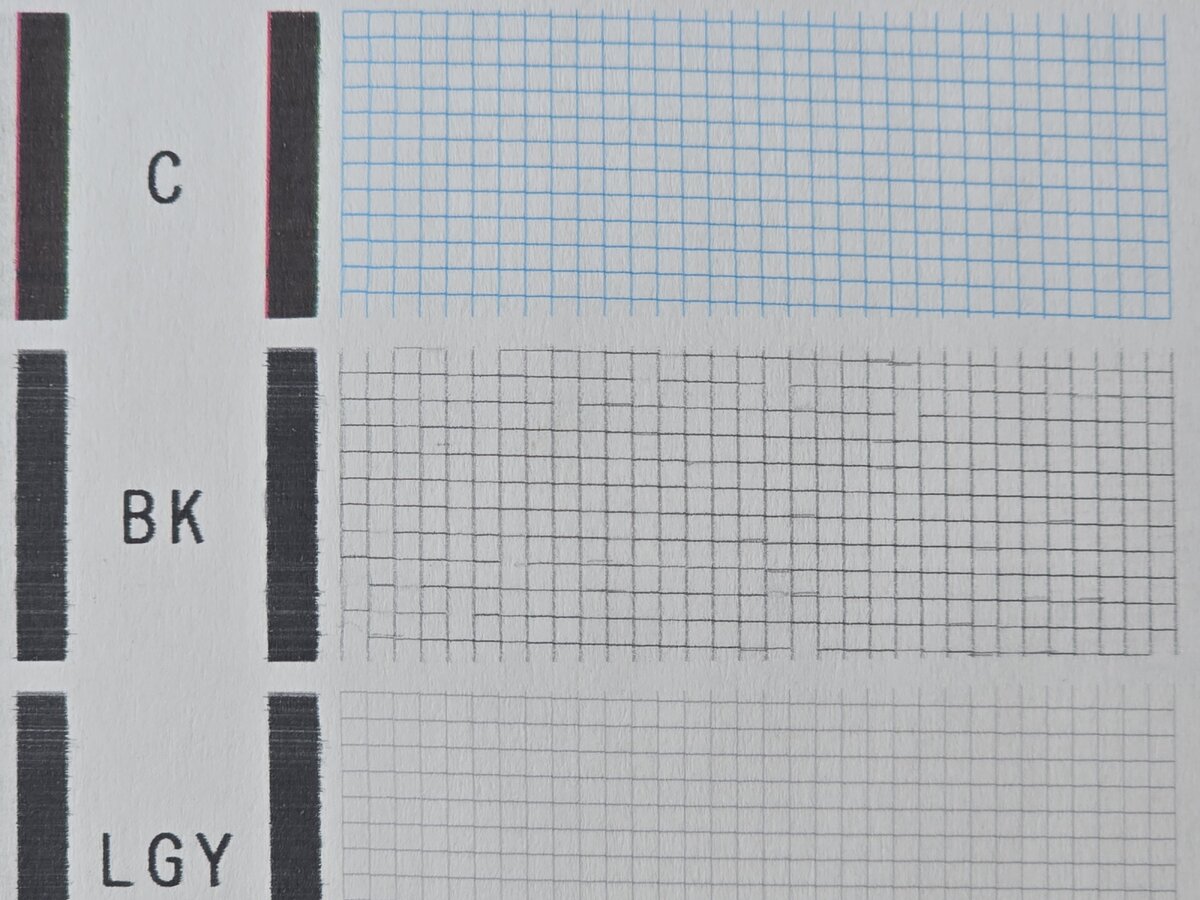
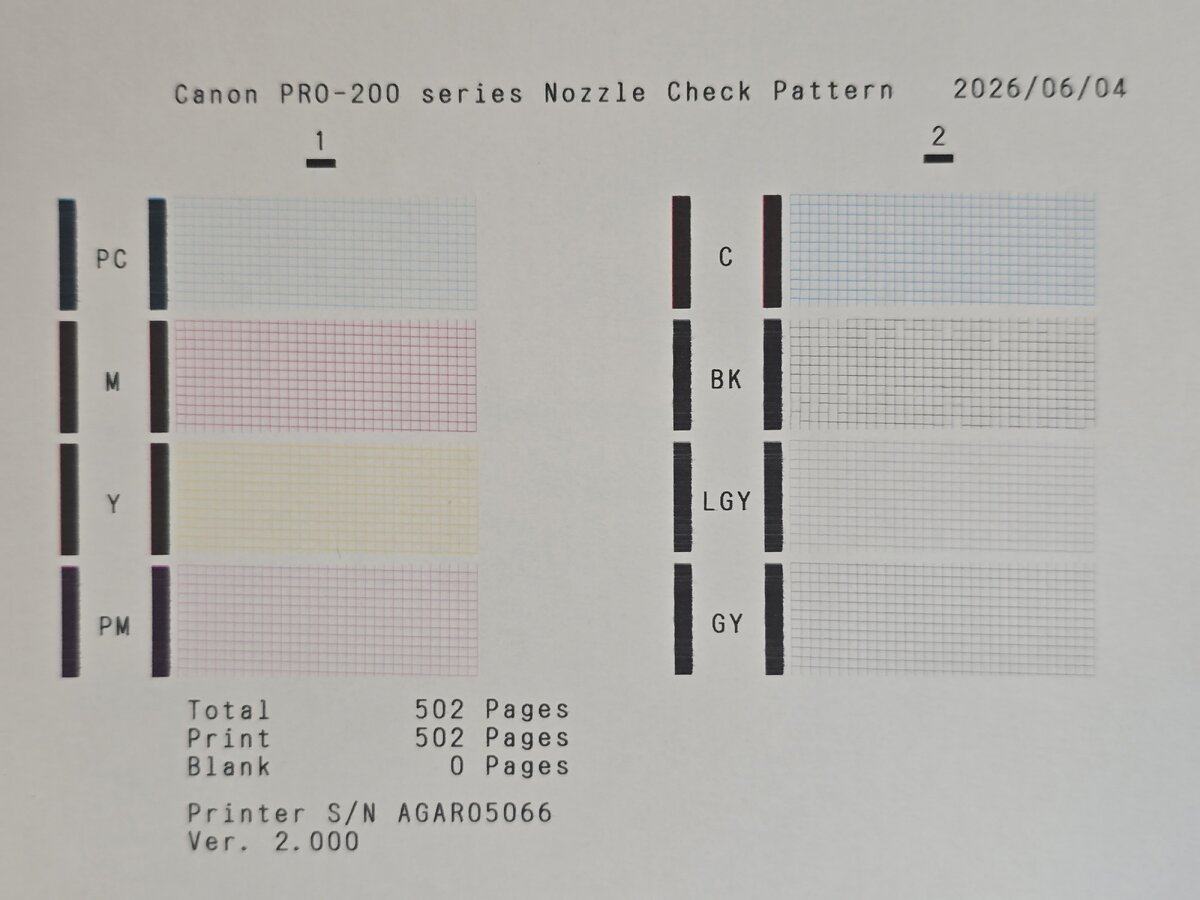
Hi all. I have a Canon PIXMA Pro 200 that I picked up second hand from Marketplace (so there's no returning it for a refund) and I'm having issues with the black ink only, all other colours are printing fine. On the nozzle check the black is missing lines in the same place in every print, see image attached.
The printer came with ink from cartridgepeople.com (seems to be genuine used cartridges with 3rd party ink I think).
I've tried standard cleans, one deep clean, reseating the cartridges and print head, leaving it on overnight, leaving it off while at work during the day, and nothing has made a difference (reseating the print head MAYBE made a tiny tiny difference, but it could have been a fluke).
The nozzle check patterns are always identical, except there's one or two places where it sometimes manages a line where it doesn't other times.
Printer had printed less than 500 sheets when I got it (it's now just over from printing nozzle checks.
Is there any fixing this? Ideally without replacing the print head as it's uneconomical, but if it came to that would that likely fix it?
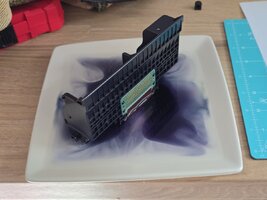
I've seen people suggest soaking the nozzle in distilled water, but I'm worried about making matters worse, but I'm willing to give it a try if it's likely to work.
I've also seen someone suggest "flushing" it with genuine ink, but I don't know how you'd do that. Just put genuine ink in and print a lot of black, or?...
Any help much appreciated, I've sank a lot of time into trying to get this working already
The printer came with ink from cartridgepeople.com (seems to be genuine used cartridges with 3rd party ink I think).
I've tried standard cleans, one deep clean, reseating the cartridges and print head, leaving it on overnight, leaving it off while at work during the day, and nothing has made a difference (reseating the print head MAYBE made a tiny tiny difference, but it could have been a fluke).
The nozzle check patterns are always identical, except there's one or two places where it sometimes manages a line where it doesn't other times.
Printer had printed less than 500 sheets when I got it (it's now just over from printing nozzle checks.
Is there any fixing this? Ideally without replacing the print head as it's uneconomical, but if it came to that would that likely fix it?
I've seen people suggest soaking the nozzle in distilled water, but I'm worried about making matters worse, but I'm willing to give it a try if it's likely to work.
I've also seen someone suggest "flushing" it with genuine ink, but I don't know how you'd do that. Just put genuine ink in and print a lot of black, or?...
Any help much appreciated, I've sank a lot of time into trying to get this working already