Some news
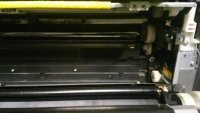
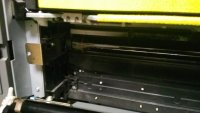
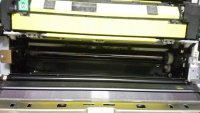
I got some denatured ethyl alcohol so I attended to the cleaning of the transfer belt… but I got another issue. I can’t get out the transfer belt unit because replacing procedure for the transfer belt does not make any sense. The manual is showing something else on the picture compared to what I see in the unit.
Also I found two versions (so far) of this manual but neither of them make sense.
1. I removed the imagine units, as written – no problem.
2. Removed the waste toner bottle – also no problem.
3. Removed the two screws on the sides of the belt unit – also no problem
But as the next step there should be some release lock which I don’t see anywhere. (Compare the pictures)
Other things:
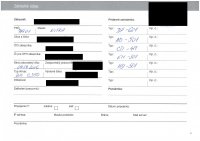
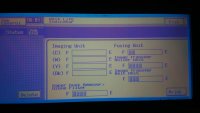
I checked the Unit life indicator (see the picture). I don’t know how seriously I should take indicator, in simpler machineries this kind of statistics can be fooled/resented/altered but I don’t know does it works in this devices.
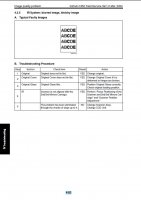
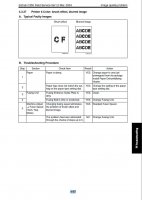
Accordingly to the service manuals I found 3 “typical faulty image” examples which are similar to my case, on pages 4-60, 4-80 and 4-97.
The 4-60 mentions scanner/copier parts/issues, and because my problem affects printing also I exclude those solutions.
The 4-80 mentions LED assy and imaging unit.
The 4-97 mentions fusing unit relates problems. Fiddled with the fuse speed, either increasing or decreasing it but made no difference.
By the way, changing the transfer belt unit would be a costly operation. In our country it goes around 450-400 euros, from china around 200 and if I want to change just the belt maybe around 70 euros. Which opens questions for me: Are the OPC inside the printer interchangeable? (Cyan with magenta or black for example…) Which parameters should I check for compatibility at transfer belts and OPC drums? Dimension of course matter but for example, is
this belt spare part compatible with my C350? According to
this page C350, C351 and C450 uses the same unit with the same belt I guess.
In a matter of laser printer I am a newbie, but I got some experience in repairing other electronic and mechanical things. Based on my experiences and the basic understanding about how the laser printers work I got some conjecture.
I got no references to this blur issue but it resembles something which I imagine that can happen with magnetic fields and electric charges. The blur either appears between dense/thick/intense objects (like between letters) or around thick/dense/intense object which haves no white spaces inside. Because that, I guess whatever causes it, it is related to electrical charges/magnetic fields and the ability to hold them. It is like the problematic parts ability of holding the charge is decreased and because of that the charge flows/jumps away of the basic area, pulling some toner particles along with them.
Is there any option where the voltage/charge level can be adjusted of some parts? I would like to fiddle with it.