Cassiop38
Printing Apprentice
- Joined
- Dec 17, 2025
- Messages
- 43
- Reaction score
- 7
- Points
- 13
- Printer Model
- Epson, Canon, HP.
Hello Everyone.
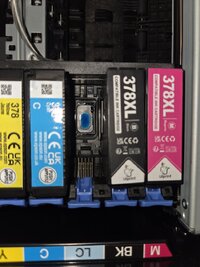
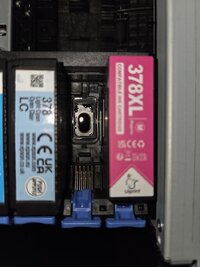
After a bit of research i'm now able to share what i learnt about the Epson 378/378XL - 478/478XL cartridges. The Squirells. I hope some of you will find this interesting !
disclamer : a cartridge was harmed during the making of this.
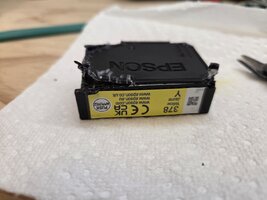
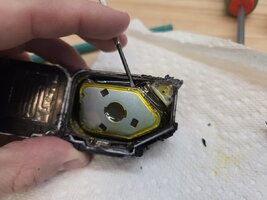
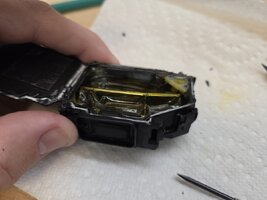
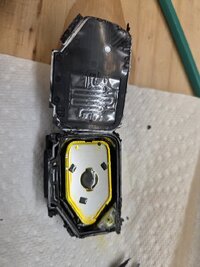
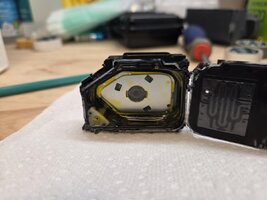
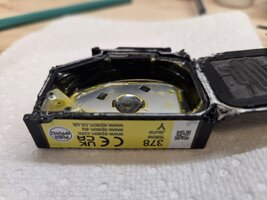
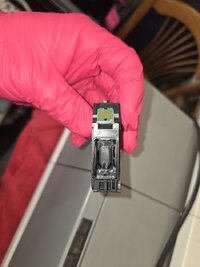
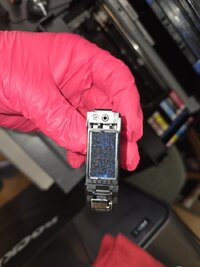
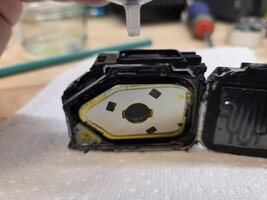
Looks familiar ? This cartridge use roughly the same principle than Canon's PGI-72 cartriges. A Bag hold the ink and the metal piece, connected to a spring hold the bag in shape. The air can't (shouldn't) go inside but if you pour liquid into the cartridge's sponge, it will fill up the bag. just like for PGI-72s
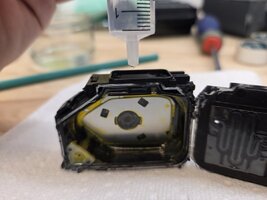
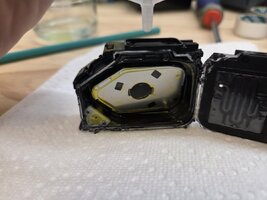
From left to right : 0ml (empty), ~5ml (half), ~10ml (full).
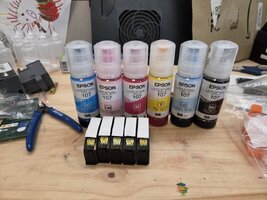
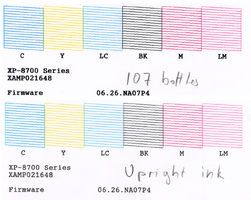
for those interested i bought This resetter (because it is usb powered and is marked as "no limit", rather than limited to 105 resets like cheaper options) and i bought a set of Epson 107 bottle for cheap on vinted. i didn't tried that set of cartridge yet. I Also bought another Yellow cartridge...
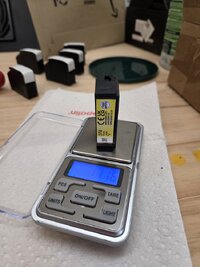
Empty cartridges are roughly 14 grams. I put 6ml into mine since they are non-XL variants. The methodology is 100% the same than with PGI-72. Gently squeeze the cartridge while approaching 22-24 grams and you'll see the ink coming out of the sponge. that mean the cartride is full.
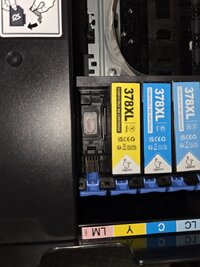
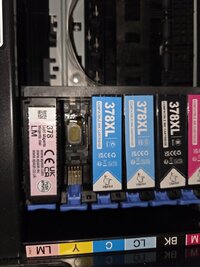
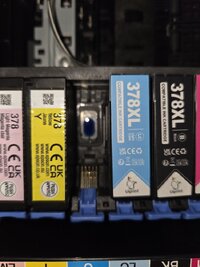
There is one odd thing i'd like write down. Epsons cartridges (378 and 24XL that i know of, for having messed with a XP-960) are supposed to be reset before they are marked as empty by the printer. However i was able to reset that yellow from it's "X" status to full and i'm not sure why (yet). if i discover why, i'll report back. Also, genuine espon cartridges are no longer recognized as genuine by printers once they're reset.
After a bit of research i'm now able to share what i learnt about the Epson 378/378XL - 478/478XL cartridges. The Squirells. I hope some of you will find this interesting !
disclamer : a cartridge was harmed during the making of this.
Looks familiar ? This cartridge use roughly the same principle than Canon's PGI-72 cartriges. A Bag hold the ink and the metal piece, connected to a spring hold the bag in shape. The air can't (shouldn't) go inside but if you pour liquid into the cartridge's sponge, it will fill up the bag. just like for PGI-72s
From left to right : 0ml (empty), ~5ml (half), ~10ml (full).
for those interested i bought This resetter (because it is usb powered and is marked as "no limit", rather than limited to 105 resets like cheaper options) and i bought a set of Epson 107 bottle for cheap on vinted. i didn't tried that set of cartridge yet. I Also bought another Yellow cartridge...
Empty cartridges are roughly 14 grams. I put 6ml into mine since they are non-XL variants. The methodology is 100% the same than with PGI-72. Gently squeeze the cartridge while approaching 22-24 grams and you'll see the ink coming out of the sponge. that mean the cartride is full.
There is one odd thing i'd like write down. Epsons cartridges (378 and 24XL that i know of, for having messed with a XP-960) are supposed to be reset before they are marked as empty by the printer. However i was able to reset that yellow from it's "X" status to full and i'm not sure why (yet). if i discover why, i'll report back. Also, genuine espon cartridges are no longer recognized as genuine by printers once they're reset.