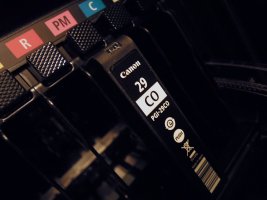
Chroma Optimizer got slight magenta color cast

Pipur

Getting Fingers Dirty
Joined
Dec 31, 2017
Messages
11
Reaction score
5
Points
31
Location
Stockholm
Printer Model
Canon Pixma Pro-1
Chroma Optimizer suddenly shows a slight magenta color cast on the nozzle check after replacing cartridge (both original).

It had been sitting unpowered for a while.

Anyone with any ideas? (Canon Pro-1)
 
Hard to say because the Pro-1 is a very special printer. Forum member and moderator @The Hat is our Pro-1 expert. Maybe he'll be able to help you.
On my Pro10s once I had a strong cyan cast on nozzle checks in the chroma optimizer, but it was because I refilled by mistake the CO cart wih photo cyan ink. :rolleyes:
 
... a slight magenta color cast on the nozzle check after replacing cartridge (both original)...
Anyone with any ideas? (Canon Pro-1)
Yes, in a split second you found that you were about to insert the Magenta in the CO bay and transferred a small amount of Magenta to the CO input pin.....you removed it fast, but not fast enough
 
Yes, in a split second you found that you were about to insert the Magenta in the CO bay and transferred a small amount of Magenta to the CO input pin.....you removed it fast, but not fast enough
Yeah, that might have been a plausable explanation.
But, unfortunately - no; has to be some other reason.

Thanks for the suggestion though!
 
On my Pro10s once I had a strong cyan cast on nozzle checks in the chroma optimizer, but it was because I refilled by mistake the CO cart wih photo cyan ink. :rolleyes:
Wow, what a bummer...! :oops:
 
after replacing cartridge (both original).
What cartridge were you replacing?

You already said you use OEM cartridges. Do you refill or use only new OEM cartridges to replace empties?

Do you notice any leaked ink on or around the print head?

Any other issues or changes with the printer or printed output?

Please print, scan, crop and post your nozzle check.
 
Chroma Optimizer suddenly shows a slight magenta color cast on the nozzle check after replacing cartridge (both original).
Just run a clean cycle before your next print, it maybe a 1 off.. Check and see if the cart is seated properly..
Yes, in a split second you found that you were about to insert the Magenta in the CO bay and transferred a small amount of Magenta to the CO input pin.....you removed it fast, but not fast enough

Just run a clean cycle before your next print, it maybe a 1 off..
The Pro 1 won’t allow that to happen with OEM carts..
 

Attachments

  • DSCN8524_1024.jpg
    DSCN8524_1024.jpg
    172.7 KB · Views: 414
What cartridge were you replacing?
As in subject: CO.
You already said you use OEM cartridges. Do you refill or use only new OEM cartridges to replace empties?
Only new (at least unopened) OEM.
Do you notice any leaked ink on or around the print head?
Nope.

I decided to print a whole sheet covered with CO, and a nozzle check after that.
And just like that it's gone. For now...
Big thanks for your engagement! :thumbsup
 
Back
Top