
W. Fisher
Print Addict
- Joined
- Aug 13, 2015
- Messages
- 233
- Reaction score
- 105
- Points
- 173
- Printer Model
- Epsons, Canons, Brother.
My Epson 3880 uses a popular 3rd party ink (IJM) and their refillable carts.
Generally, the Vivid Magenta is the one that gives me most trouble for nozzle check errors. It worked well over the past several days, but yesterday maybe 2/3 of it showed blocked nozzles all of a sudden. I did a bunch of cleaning cycles, and went through a waste tank. Did the Windows/alcohol soaked towel under the head for 3 hours too. No improvement in the AM. So I decided to fill the cart with Piezeoflush and tried pumping that vivid magenta only onto a sheet of paper for a few times (I used 255, 0, 255 for the colors on the sheet made in PhotoShop. However, no difference in the nozzle check.
Got more serious today and sucked out all the ink remaining Piezoflsuh and refilled it with alcohol and Windex and ran a few sheets until I could smell it on the paper (Took about 5 sheets to get there.). Still had a lot of magenta color in the tank, maybe the Piezoflush too. So I did another sucking it out via the exit port with a syringe, and shaking it out of the refilling port.
On shaking it out, I was surprised to see a bunch of solid ink sediment pebbles came out of the cart. Will need go get some distilled water to clean it further and refill and try to revive it. I got a bad feeling the printhead may be filled with the solid vivid magenta junk now and it may be curtains for it and the printer. Might try the 91% alcohol to try and dissolve the stuff since it seems to affect getting the stuff out of the syringes where it stains the plastic too if it sits too long. See below on what came out of the vivid magenta ink cart.
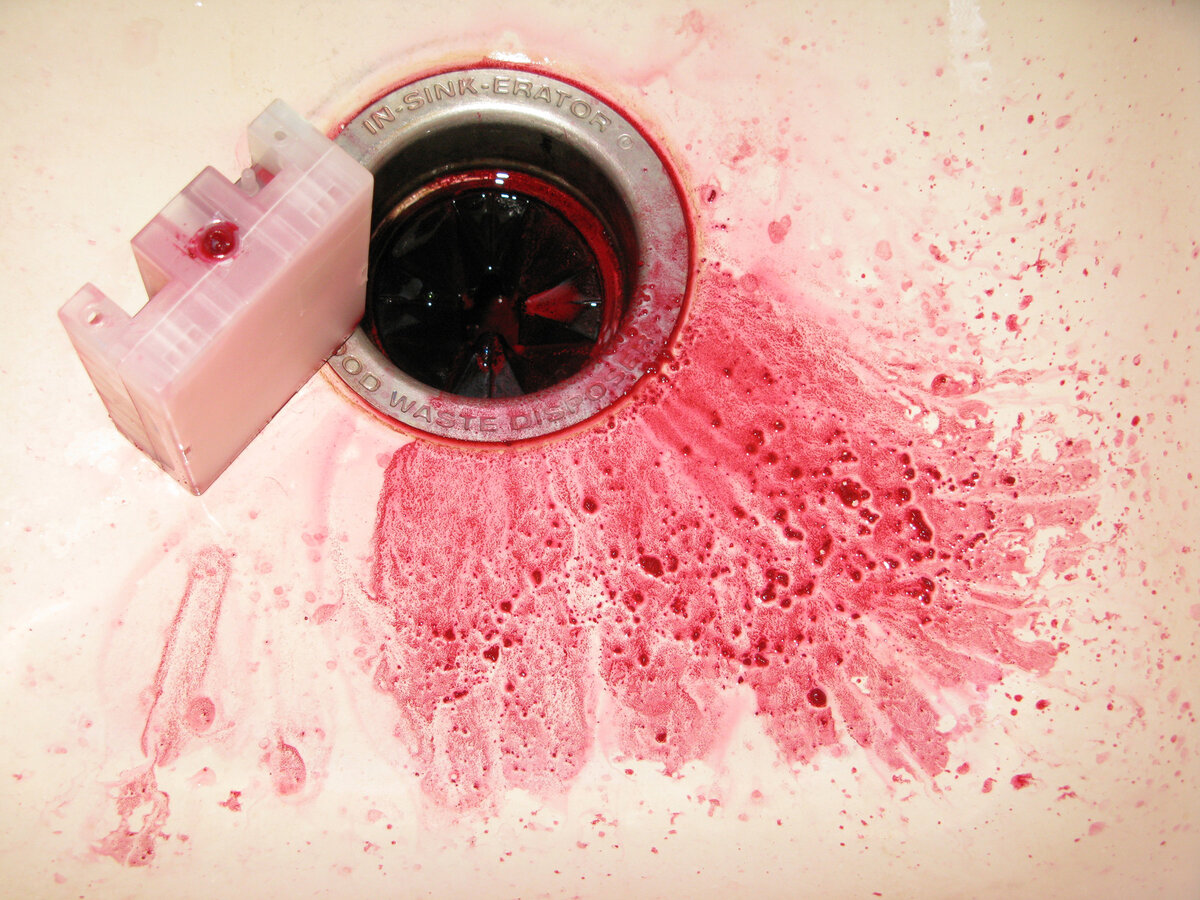
I have another printer with dye ink and it rarely plugs a nozzle. The pigment ones always seem to be plugging up for me even used on a daily basis. Crud finds its way there eventually. It's had a good 13 year run though.
Generally, the Vivid Magenta is the one that gives me most trouble for nozzle check errors. It worked well over the past several days, but yesterday maybe 2/3 of it showed blocked nozzles all of a sudden. I did a bunch of cleaning cycles, and went through a waste tank. Did the Windows/alcohol soaked towel under the head for 3 hours too. No improvement in the AM. So I decided to fill the cart with Piezeoflush and tried pumping that vivid magenta only onto a sheet of paper for a few times (I used 255, 0, 255 for the colors on the sheet made in PhotoShop. However, no difference in the nozzle check.
Got more serious today and sucked out all the ink remaining Piezoflsuh and refilled it with alcohol and Windex and ran a few sheets until I could smell it on the paper (Took about 5 sheets to get there.). Still had a lot of magenta color in the tank, maybe the Piezoflush too. So I did another sucking it out via the exit port with a syringe, and shaking it out of the refilling port.
On shaking it out, I was surprised to see a bunch of solid ink sediment pebbles came out of the cart. Will need go get some distilled water to clean it further and refill and try to revive it. I got a bad feeling the printhead may be filled with the solid vivid magenta junk now and it may be curtains for it and the printer. Might try the 91% alcohol to try and dissolve the stuff since it seems to affect getting the stuff out of the syringes where it stains the plastic too if it sits too long. See below on what came out of the vivid magenta ink cart.
I have another printer with dye ink and it rarely plugs a nozzle. The pigment ones always seem to be plugging up for me even used on a daily basis. Crud finds its way there eventually. It's had a good 13 year run though.


