
[Tool] ChromIQ – a macOS and Windows GUI for ArgyllCMS printer profiling (v3.0.0 beta 10)

pharmacist

Printer VIP
Platinum Printer Member
Joined
May 29, 2007
Messages
3,081
Reaction score
1,793
Points
333
Location
Ghent, Belgium
Printer Model
SC-900 ET-8550 WF-7840 TS705
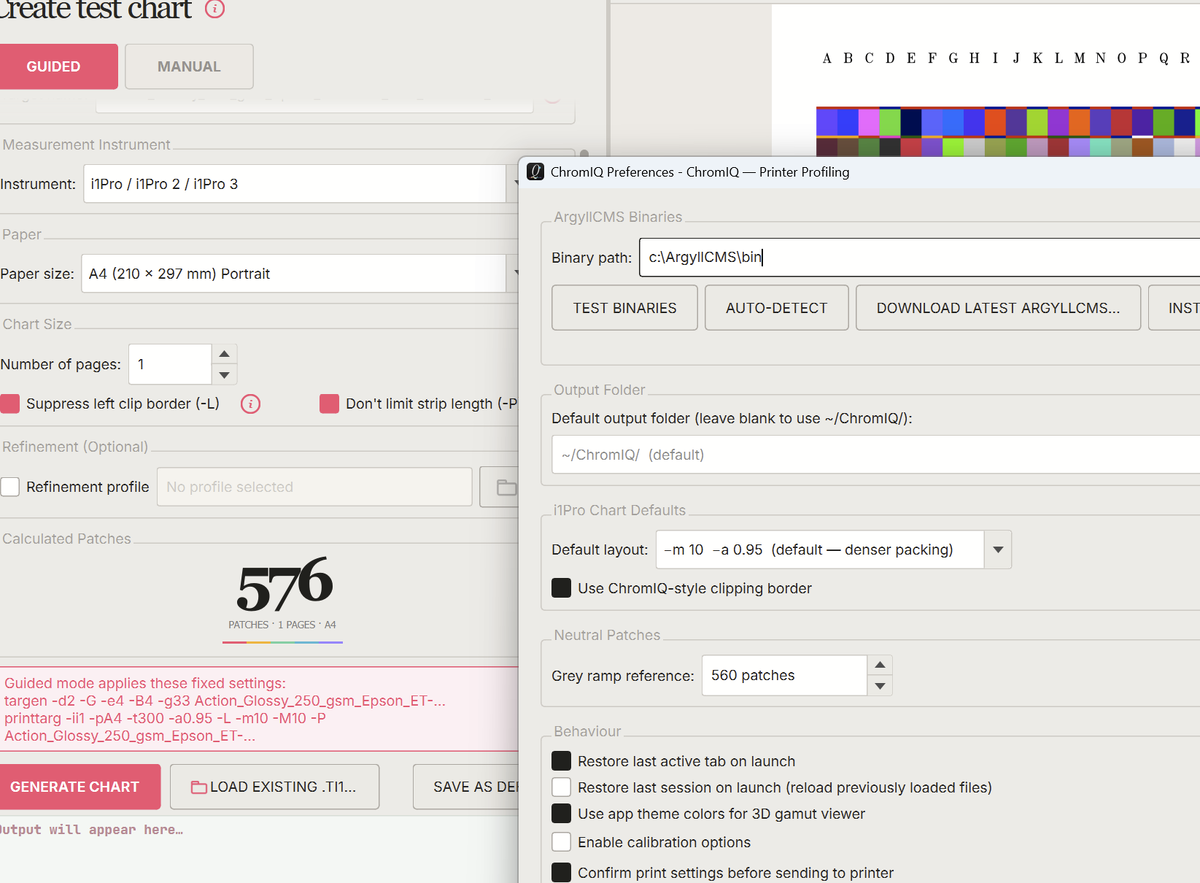
Strange choice of grey steps based on the patch count reference: When choosing a higher patch count reference, the amount of grey steps drops instead of increasing:

For 560 patch count reference: 33 grey steps
1779605284307.png


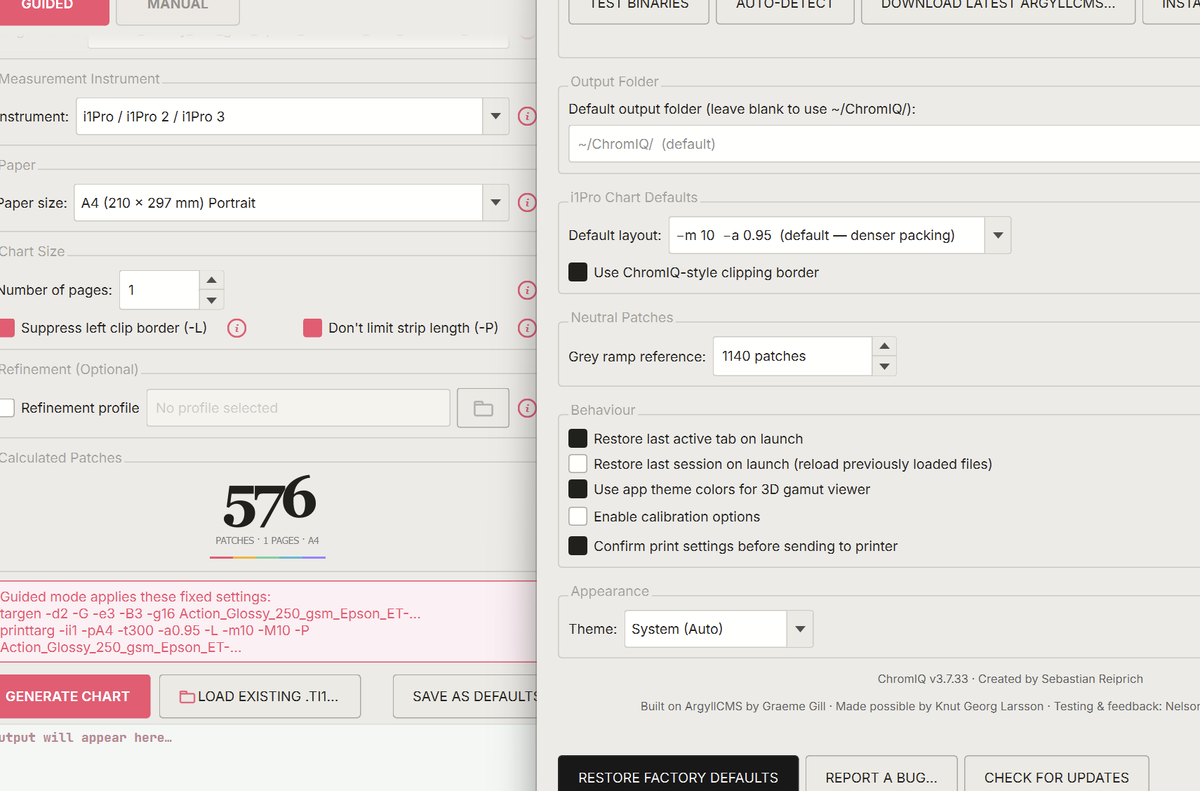
Increasing the patch count reference to double 1140 the grey steps decreases to 16:
1779605586583.png


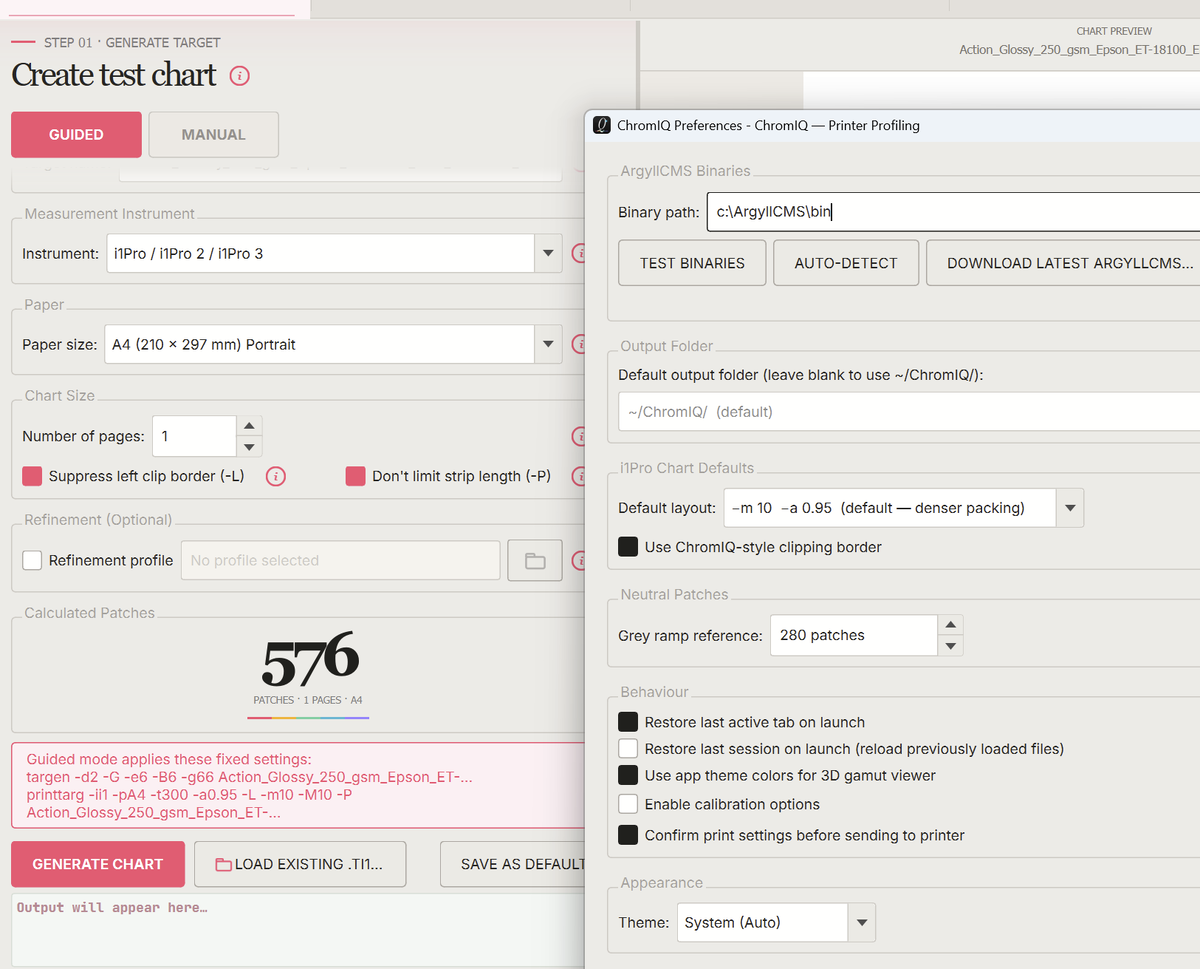
When decreasing patch count reference the amount of greys strangely increases. (280 patches => 66 grey steps):
1779605681826.png


@itsab1989 : Maybe we should be use another formula to inject the amount of grey steps, maybe something like the amount of grey steps = minimum 16 for a minimum150 patches and adding 4 extra per 100 patches extra up to a maximum of 128 for the guided modus operandi, so you will get 32 for a patch count of 560. For the Black/White points a minimum of 2/2 for 150 patches increasing with 1 per 200 extra patches with a maximum of 6/6 (I don't see any benefits with more black/white points).
 
Last edited:

itsab1989

Getting Fingers Dirty
Joined
Feb 11, 2026
Messages
63
Reaction score
26
Points
40
Printer Model
Epson ET 8550, Canon Pro 300
@pharmacist

For your first question: in manual mode I do not automatically replace the grey patches with with neutral axis steps when a pre conditioning profile is set. So you have to disable them yourself.

Second: Your reference for grey, black and white was 32 grey, 4 black, 4 white for one A4 page for the i1Pro which is roughly 560. You said when doubling the amount of total patches grey should be doubled as well up to a maximum of 128 and b&w should be multiplied by 1.5 up to a max of 8 (I am pretty sure you said this should be the maximum last time). I added a bottom of 8 grey, 2 black and 2 white so it cannot go below this.
That is the current formular. So the 560 patches are the anchor for 32g, 4b, 4w and you can change this anchor in the settings. Set it to 400 and now for 400 total patches it uses 32g, 4b, 4w. 800 would then automatically be 64w, 6b, 6w.
I did not want to hardcode any values. So I decided to set your suggested values for neutral patches in relation to the total patches. And because I knew some people would disagree with the choice I allowed some configurability. Again this is for guided which should give you good out of the box result.
Manual mode is for perfection.

But of course we could change the formular if you could come up with a better idea. But please take into consideration that some people might try to create a profile out of a target with very few patches say the regular Colormunki target and maybe 16 grey would be too much for 90 patches total.

Edit: I have to apologize. I just woke up and I am a little tired still. At first I read your comment about the neutral axis steps as a critique that something was wrong. But reading it again it sounds like you intentionally chose those settings.

So overall: Is it getting better now and does the app now behave more like what you would expect?

With the i1iSis setting in manual you can convert ti1 files into something that i1Profiler can read.
And in the build profile tab you can now load txt measurement data from i1Profiler and convert it to ti3 with txt2ti3 as you described in another thread a year ago
 
Last edited:

pharmacist

Printer VIP
Platinum Printer Member
Joined
May 29, 2007
Messages
3,081
Reaction score
1,793
Points
333
Location
Ghent, Belgium
Printer Model
SC-900 ET-8550 WF-7840 TS705
I don't understand this for the guided mode:

1779614381941.png


I choose for grey ramp reference: 290 patches and get: targen -d2 -G -e6 -B6 -g64

Increasing the amount to 1140 for the "grey ramp reference":

1779614460618.png


I choose for grey ramp reference: 1140 patches and get: targen -d2 -G -e6 -B6 -g16

So I think the formula should be inversed: now the amount of greys DECREASES with total patch count instead of increasing, which is weird.

Of course the amount grey steps for the Colormunki/i1Studio should be reduced significantly to maybe about 8 grey steps.
 
Top